Release Notes
New in Version 2.0.1
Multi-viewport playback is back! A single Rumba viewport is now even faster.
Support for manipulator LODs: Rigs can now have up to three levels of detail for manipulators painted on the geometry. Users can easily switch between them using the 1/2/3 shortcuts.
NEW DOCUMENTATION
The Sequencer
The Media Layer
Added
Add comments and tags to RumbaNode files in the library.
A Time node to return all kinds of time values.
A diff geometry layer to inspect the geometry differences between a Rumba animation and a baked animation See Validation of a Maya rig exported with MTORBA.
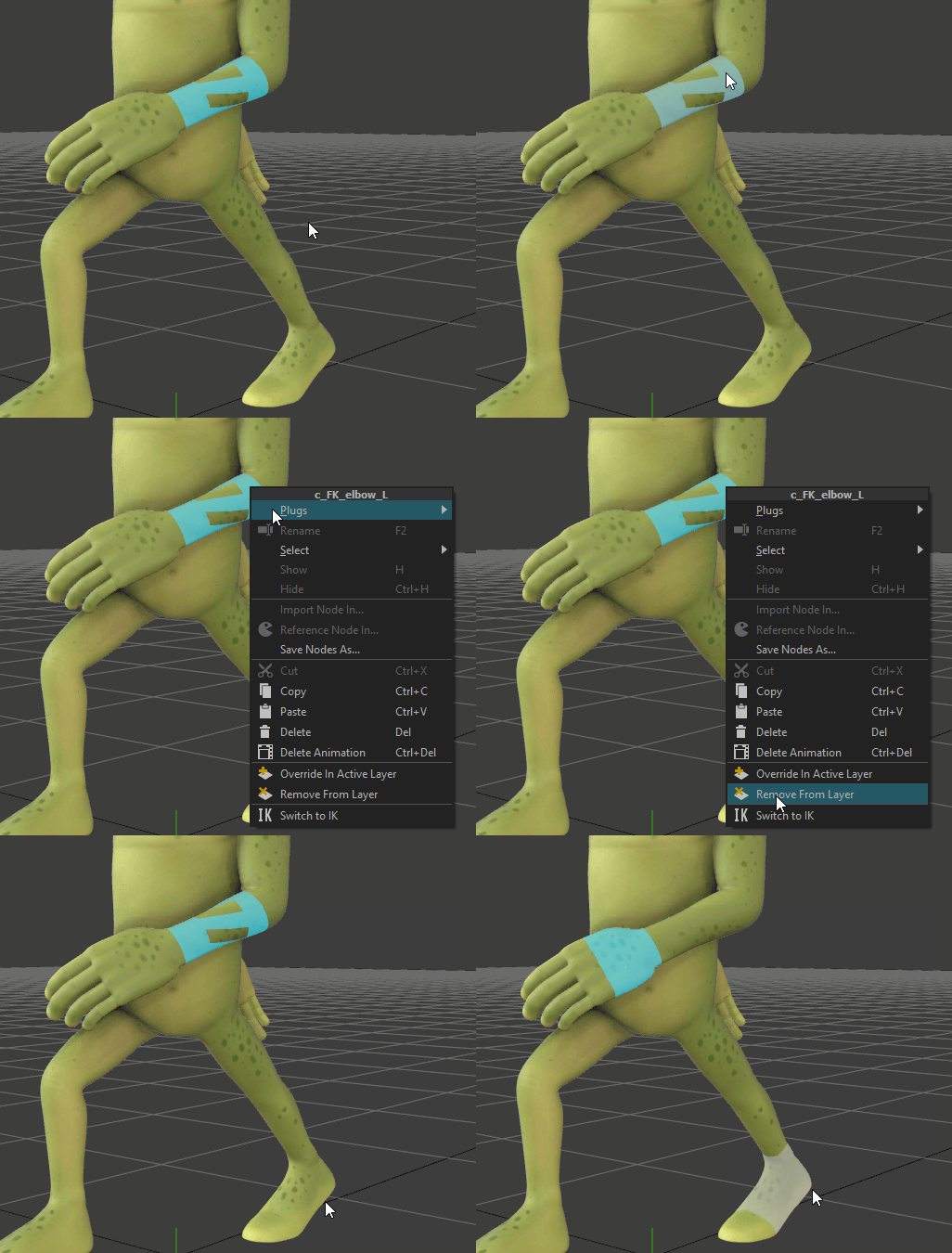
A better IK/FK switch: The elbow position controller now maintains a better position after the switch. A new optimization-based method has been introduced to handle complex rig configurations.
Fixed
The space switch tool now works on joint controllers.
Right-click menu is now easier to open.
UNC Windows paths are working in Rumba (e.g., “\\server\”).
Resolved texture paths now work once saved in an animation project.
“Keyframe Pro” video player is now running from Rumba.
Added a “Use Tablet” option in General settings to fix virtual sliders on tablets. See the tablets documentation.
It is now possible to assign shortcuts to ALT+hotkey combinations that were clashing with the menu.
The library is now faster to open, select rigs, and update.
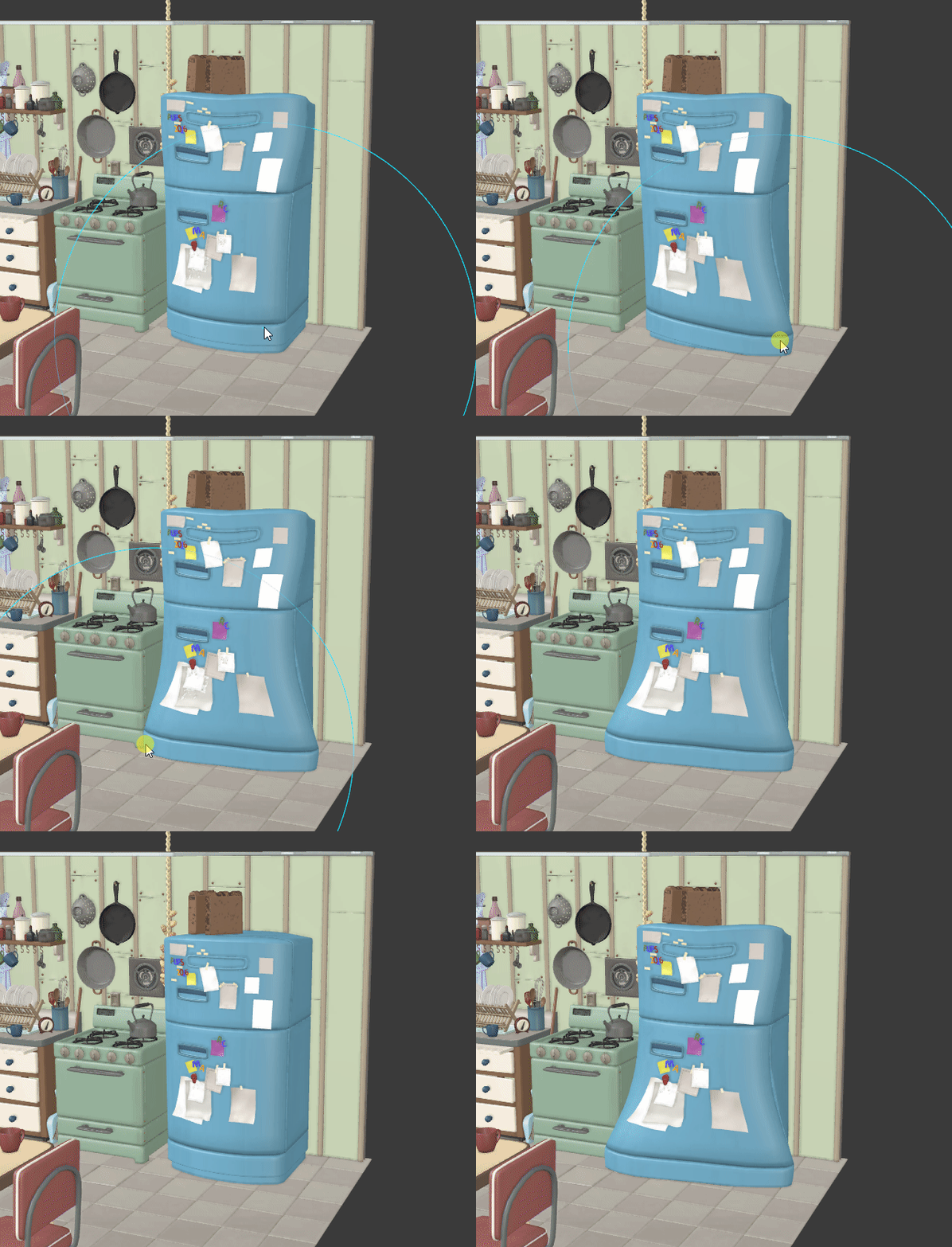
The transform tool pivot can now be moved.
Improved algorithm for fixing missing files.
Enhanced shader transparency support in the viewport.
Improved USD export of the Rumba/Maya cameras.
Fixed a crash in the Library when importing a pose.
Fixed a crash in the Library when an asset or icon is renamed.
Fixed a crash when editing enumerated and numerical values.
Fixed a crash when framing an empty curve editor.
Fixed a picker transform attribute crash.
Fixed a crash for files that already exist.
MTORBA
NEW: MTORBA now exports rig controlled shaders from Maya.
Shaders are now exported once per asset.
Added bump mapping support (not only normal maps).
Added transmission shader attribute support (for transparent objects like glasses).
Added layeredTexture shading support.
Added file shading support.
Added bump2d shading support.
Added ramp shading support.
Added place2dTexture shading support.
Added file.invert shading support.
Added copyColorSet support.
Added deleteColorSet support.
Added polyDelFacet support.
Added transform.lodVisibility support.
Added blendColors support.
Added closestPointOnMesh support.
Added arrayMapper support.
Added camera.orthographic support.
Added poseInterpolation support.
Improved proximityWrap support with multiple meshes.
Improved proximityPin support.
Improved rebuildSurface support.
Improved uvPin support.
Improved setRange support.
Improved cvwrap support; now supports Nurbs Surface and fixes a crash.
Improved skinCluster support with negative weights.
Improved polyOnPolygonConstraint support.
Fixed an issue with wrong vec3 connections export.
Added support for DPK BCS plug-ins in “edit” mode (with targets kept live from an upstream deformation graph).
SDK
New USD API documentation: USD Traversal and export code snippet: Export a USD file.
Support for USD from Python is back.
Added an option to exclude the geometry UVs in USD and Alembic exports.
Improved C++ SDK documentation.
Improved error handling for Node Python plug-ins. Python node plug-in errors are now clearly reported.
New in Version 2.0-rc.2
Asset Library
Assets can now be added to the Library from archive (.zip) files, and referenced to populate the shot
Improvement
Change the behavior of the “Show Manipulator” action in the viewport: now it toggles the display/activation of the manipulator under the mouse
Improve the management of the middle-click selection of the Selection Sets and Animation Layers Controllers w.r.t. <ctrl> and <shift> keys
Fix selecting the controllers of a pose or animation from the Library
Fix vertex map display (sculpt deformer’s delta and sticky deformer’s weigths) on subdivided objects
Fix rotation of orthographic camera locking the zoom
Fix Lattice selection in the CurveEditor not updating when moving it in Normalized View mode
Fix Simplify Curve to not apply on non-scalar curves, e.g. sculpt deformer’s delta_points
New in Version 2.0-rc.1
USD
Improve USD support (translucent objects, cameras, selection and editing performances)
Fix USD Assets not showing in read-only sequencer shot
Add NurbsCurve and extra attribute support for ABC and USD export
Geometry
Improve the vertex selection workflow: * press F8 while hovering a mesh to toggle the vertices display * right-click on a mesh and choose Select->Vertices
Improvement
Better management of channel mode (Layers, Timeline, Camera)
Fix load/save of animation
Fix crash when ungrouping a layer
Fix hovered Manipulator not showing on all meshes at the same time
Set the same viewport selection shortcuts as Maya
Fix Temporal Editing behavior on Arms and Legs, also w.r.t. IK-FK switch
Fix Playblast not using the Sequencer camera
Better detection of Maya Rig controllers
Fix crash on flipping selection
Fix selection of Selection Set content with middle-click
Fix rotate order switch
New in Version 2.0-beta.7.5
Rumba Sequencer
This version introduces the Rumba sequencer, a tool for working in sequence with multiple shots in a non-linear workflow.
Switch at any time to the sequence project
Load multiple shots for the sequence project
Edit the shots from the sequence: cut, duplicate, crop, change speed (non-destructive)
Conform the shots document with the sequence edits (destructive)
Improved clip editing: you can now go beyond start and end limits
Manage the different cameras in the sequence, and choose the main camera for each shot
Override the shot camera with another camera per clip
The shots are now editable, loaded (non-editable), or unloaded
Use multiple soundtracks in both the shots projects and the sequence project
Sounds now have volume control in both the clip and the layer
Cameras
This version introduces improved camera integration.
The camera’s main object now holds the camera attributes
The camera now has optional Aim and Up targets
Improved FBX camera import and export, supporting MotionBuilder cameras and cameras with Aim and Up targets
Improved USD camera support
MTORBA
Maya rigs run faster globally
Added Maya 2024 skinCluster relative space support
Added curveAttach support
Added proximityWrap support
Added curveWarp support
Added animBlendNodeAdditiveDA support
Added reverseSurface support
Added polyCylinder support
Added nurbsCurve and nurbsSurface min/max/spans/U/V support
Improved curveIfo support
Improved deleteComponent support
Improved and faster rebuildCurve support
Improved nonLinear support
Improved wire support
Export Float Angle channels
Fixed a crash in cvWrap
More stable MTORBA export
New in Version 2.0-beta.7.1
Rumba now exports Alembic faceset for an easier Maya and Unreal automatic material binding
MTORBA
More stable MTORBA export
Export smaller rumbanode files
Faster deltaMush
Add support for the nurbs curve width
Add support for extendSurface
Add support for detachSurface
Add support for composeMatrix
Add support for quatAdd
Add support for quatConjugat
Add support for quatInvert
Add support for quatNegate
Add support for quatNormalize
Add support for quatProd
Add support for quatSlerp
Add support for quatSub
Add support for sculpt and implicitSphere
Add support for bezierCurveToNurbs
Add support for the transform.xformMatrix plug
Add support for the transform.min/max/Trans/Scale/Rot/LimitEnable plugs
Add support for the nurbsSurface and nurbsCurve minMaxValueX plugs
Better aimMatrix
Better detachCurve
Better parentConstraint
Better ikRPsolver with more than 3 joints
Fix a crash when importing numpy in a rig
Fix ffd with negative scales
Fix a wire crash
Catch all Python errors in expression
Single Maya faceset is now exported
New in Version 2.0-beta.7
Rigging
Simpler workflow to create skeleton chain
Faster skinning painter
Override scene matrix attribute using a world matrix in SceneOverride
UVN mirror mode U, V, UV (behavior only)
Symmetric voronoi
Reorder plugs and node actions (json desc for now)
USD UVs, textures and shaders
USD content loaded with SceneReader is loaded once and cached
Animation
Warning before deleting an Asset
Improvement
Adding a controller to a layer sometimes created a key
Fix skinner node when skeleton root is a curve
Fix all our modules actions (rename internals, set curve CP count, add/remove/sculpt voronoi target)
Fix rig locators visibility (rumba animation & rumba-rig no rig mode on)
Fix Math node used with Bool / ChannelBool values
Fix crash right clicking on the Bool node
MTORBA
Export controllers using the new channel mode
Tag controller shapes with the “controller” tag
New in Version 2.0-beta.6
NEW
The Rumba Mascotte Rig is available from the Reference Samples menu
Rigging
Command Nodes with Signal Values, replacing the previous Node Action system (see Commands)
MatrixCurve with Nurbs shape (see MatrixCurve)
Maquina Script print() with multiple arguments
Maquina Script hex and octal string literals
All logs goes to the console and the script window in unicode, with colors
The rig_space plug of the Controller and ControllerUVN Nodes is now evaluated as the Asset’s transform
Allow to choose dynamic plugs’ nice name on creation
Add Python binding of Dict methods with default parameters (as_string, as_V3d, …)
Add Joint/Curve icon to the Skin Layers
Animation
Rework Library, see Library
Multi document improvements
Improvement
Fix ikfk switch with A-pose to T-pose system
Improve UVN management (mirror along U or V or none, translate tool aligned with surface axis)
Fix linear interpolation of quaternions
Improve painting on faces (Manipulator IDs) triggered by the face center (except in geodesic mode)
Improve painting speed in geodesic mode on large meshes
Fix ManipulatorFloat not working on animated float plugs
Maquina Script various compilation fixes
Fix python crash when using enum plugs with enum description as list
Fix crash on call to Node::delete_node(false), or double call to Node.delete_node(true)
Fix crash of the GlobalInterpolate Node in RBF mode
Fix broken constraint on catch after release
Fix non-constrained sub-channel that cannot be edited/animated
Fix non-selectable sparse controller keyframes on a layer with another full keyframe controller
Fix missing SkeletonModule plug serialization
New in Version 2.0-beta.5
Warning
For riggers, the node class String has been renamed StringOp, please update the nodes using it.
NEW
- Multi documents framework, see Multi document
Load multiple documents on a media track
Switch to any document to edit it
Layer documents to share a shot between animators
Put shots side-by-side to work on shot transitions
Assemble a scene project using Python scripts
Rigging
Maquina Script prints Imath objects (V3d, M44d, etc..)
Basic nodes (Float, Int, M44f etc..) see Basic Nodes
All brushes now work in geodesic and fill modes, dealing with vertex selection
The SkinLayer Tool now allows to paint / mirror / transfer the Skin curve attachment of the vertices
Node features customization see Node Features
New documentation: Set a default animation pose, MatrixCurve and Skinning Curves, Referenced nodes actions
Animation
- A better dynamic layer
Multiple bugs have been fixed
When disabled, the layer should not affect the performances anymore
Add a Viewport select visible/select through mode, see Viewport.
Improves the AnimCurve/Channel API and add a complete animation tool sample code, see Complete tool example
The translate tool central cube is now a square moving in world space
Improvement
Copy World/Paste World is now working with new controllers
Controllers visibility was not always controlled by the display layers
Fix crash when disconnecting / reconnecting the ìnput / input_ref plugs of some deformers
Fix Python crash on copy-paste of skin layers
- Maquina Script
Floating point numbers not parsed correctly with LC_NUMERIC=fr_FR.UTF-8
Crash after a print error
New in Version 2.0-beta.4
Private Release date: 2024-03-06
Animation
Dynamics creation functions work on 2.0 rigs
Animating over a dynamics layer now works as intended
Fixed a case where all dynamics edits would go to the same layer
Limits now work as intended on the first joint of an articulation
Fixed bake and flatten operations on dynamics layers
Rigging
Add double-precision numbers to the Script Node
Add a Setting Node to allow fetch a setting value for evaluation parameter
Add 3 LODs on controllers and manipulators (“1”, “2” and “3” shortcut)
Add mask mode to the ManipulatorIdPainter Node: Replace, Overlay or Skip
Better management of interplay between Deformer’s activation and colormap display
Add the activation mask to the DeltaMush Deformer
Add the rigidify mask to the Wrapper Deformer
Add per-frame average timing to Node Profiler output
Fix mask and weights transfer issues
Fix crash on mirroring skinning weights
Script editor: tabs can be moved and closed, with defined actions per plugin type
- Maquina Script
Add a math module with most of Python functions, see the math module
Add support for double precision floating point numbers and Imath double types (M44d, V3d etc..)
Improvement
Fix node editor refresh, drag & drop of files and missing modifier on node duplication with “alt” pressed
Fix plug expose / source creating dynamic plug with heavy Value stored on document save
Fix node creation / group / ungroup when referenced is not allowed
Fix USD export
Fix a crash in the Script node when returning no value
Fix USD display overrides and display layers
Allow to open a document with missing node plug-ins
Keep animation in the document when some assets are missing
New in Version 2.0-beta.3
Private Release date: 2024-02-19
Improvement
USD display overrides and display layers are back
Files with unknown class nodes are now loaded. Unknown class nodes are replaced by placeholder nodes of type Unknown. Connections and values are lost.
When a referenced asset is missing after the loading, the animation remain in the project until the reference is reloaded.
Crash in the Script node with an empty return expression
New in Version 2.0-beta.2
Private Release date: 2024-02-16
Animation
Fix edition of animated matrices in the Attribute List
Library: settings and environment variables to hide the user folder and the samples from the library, see Hide the default library folders
Picker: add an option to enable/disable the manipulation from the picker, see How to control an asset with the picker
Rigging
New documentation, see Rigging Basis
New samples, see Rigging Samples
Deformers have now common input, deformation, and input filter attributes.
input is the geometry to deform
deformation is a global deformation effect (like enveloppe in Maya)
input filter is an expression to filter which geometry must be deformed
New DeltaMush deformer
input_ref is the reference value for the deformer, it has to be connected to the reference geometry (not yet deformed)
Reworked Wrapper deformer
driver is the geometry input for the driver geometries
input_ref and driver_ref are the reference value for input and driver.
driver filter is an expression to select which geometry from driver are driving the deformation
The driver mask has been removed
Reworked Cluster deformer
Allow any Display Node under an Asset Node to display the Manipulators Map
Add default value to the Mask Node to be considered if there is no mask painted on the geometry
Merge the Painter Nodes within the Deformers (Skinner, skinnerUVN, Wrapper, BlendShapes, Cluster) that now store the parameters (weights, activation masks..). See how to upgrade the Rig to the new behavior
Blend Shapes in-between names can be prefixed by any character (75, _100, ib50, etc..)
Note
Known missing features in the new deformers:
The DeltaMush deformer mask is not editable right now
The Wrapper lack the mask to rigidify the wrapped objects to act like a rivet
The Cluster’s matrix attribute will probably change in next release for a transform_ref input.
Improvement
Layers and Node List item selection may be broken when the horizontal scroll bar was visible (select the item below the clicked one)
API
Improved management of entries in the MakeDict Node using a dedicated API
Fix registration of plugin Nodes that inherit from other plugin Nodes
Deal with the resize action of Make*Array, MakeDict, Merge, SceneOverride nodes using the associated NodePlugin
Add a base class for SkeletonModules, dealing with the number of skeleton sub-parts
New in Version 2.0-beta.1
Private Release date: 2024-02-02
Animation
Add a Deadzone Radius setting to improve the selection using a tablet. See the tablets documentation.
The Curve Editor’s scale tool can now scale negatively, the CTRL modifier locks the scale to 0.
Rigging
Fix a crash using the Merge tool
Fix a crash using the AimConstraint tool
Fix a weight transfer issue
When painting skin weigths, remember locked and displayed layers
A first rig documentation is available here : Rumba Rig
Improvements
First frame of the Motion trail in a camera space is now correct
Dual screen selection issues on Windows
Translate tool on negative scale transform is now working
The viewport trap selection is back
It is not possible to select a Geometry if not in Select Geometry mode
The Snap To tool slider now works with the curve editor open
Fix a crash in the Delete Redundant Key animation tool
Fix a crash when selecting multiple nodes holding SHIFT
Fix a crash when closing a secondary viewport
Fix a crash when deleting a layer after deleting an animated node
Fix a crash in the Nodal profiler
API
A Node list is now available in the documentation
rumba.selection() now returns the selection in the selection order
Fix a crash when iterating value dependences
New in Version 2.0-beta.0
Private Release date: 2024-01-24
Rigging
New sub-component selection system (vertices only, applies for sculpt and paint Tools)
Animation
Add camera-relative Motion Trails
Add Dynamic Layer
Improvements
Fix Voronoi Interpolation when query point is outside the convex hull
Fix Wacom tablets support
Attempt to save the document on crash
Fix transparency display
Fix wireframe highlight on hover geometries
Fix FK-IK switch in the default Picker
Better management of the pivot for the Gizmo Tools
Fix Character samples
API
Add Display Layers
Improved Color Picker
Add Python binding for Imath::rotationMatrix and Imath::computeLocalFrame
Add empty and size methods on Dict values
Improve Node Editor: nodes can be moved/duplicated along with their ascendents/descendants using key modifiers (ctrl, shift, alt)
New Condition Node
New PyScript Node
Add search bar to the Attribute List
UserData can now be registered and serialized
Bump to c++17
Bump USD to version 23
New in Version 2.0-alpha.20
New in Animation
Euler filter is back, see Euler Filter.
Improvements
Allow “:” in plug names
Image plane connection to cameras is back
Crash importing an image sequence like foo.123.456.exr
Cache issue after using an animation tool
New in Version 2.0-alpha.19
New in Animation
Unselect the animation curve keys when changing selection
Support for aiff audio files
New in Rigging
Command to flatten a referenced node
New normalized mode for the skinning brush
New video encoder parameters: the FFmpeg encoder is now parametrized using the raw ffmpeg audio and video codec options. Support for avi, mov, mp4 and gif output video files. See the TD’s playblast documentation.
Export Scene’s user defined attributes in Alembic
Improvements
Fix an infinit loop in Channel.layers()
Fix a crash when a media is missing #2615
New in Version 2.0-alpha.18
New in Animation
New in Rigging
Add remap action for MultiMask and BlendShapes nodes
Add transfer brush for BlendShapes node
Add binary mask support for Skinner and BlendShapes nodes to mark the vertices to deform
New Environment variable RUMBA_USER_NODE_LIBRARY to add directories for node lookup in the node editor quick-search (<tab>) or menu (Import/Reference node), see RUMBA_USER_NODE_LIBRARY.
Modify the Eye shader rig sample to explain how to add the shader attributes on the eye geometry for GuerillaRender
Export Scene’s user defined attributes in USD
Improvements
MultiMask brush tool list clean update on undo/redo of mask add/rename/remove
Fix crash when new painter input geometry has less vertices
Faster Skinner when there are Curves (~10%)
No more ghost keys after reloading a rig reference
The rotate order switch tool works now with layer groups
The Channel API works now with layer groups
New in Version 2.0-alpha.17
New in Animation
A space .
- Add a rotate order switch tool
Switch the whole animation or a key selection
Switch to a specific rotation mode
Switch to the “best” mode, the mode that minimizes the gimbal locks
Constraint can now be baked with right click -> Bake
Add a reference “reload” command
New in Rigging
Add boolean color map for skin weights and float attributes (mask, sculpt)
Add brush mode buttons
Add search line for the Skin Layers
Add granular Skin Transfer workflow
New Python/C++ API to manage Channels (assign to layer, iterate channels, access animation curves, edit keyframes). Can be used to create user animation tools.
Improvements
Fix crash on opening the BlendShapes node in the node list
Remove the rigid brush for the SkinLayers
Skin Layers are initialized to Zero
Transfer Skin Weights removes current weights
Selection changes do not invalidate the cache anymore
Fix a crash on using rotate tool with no selection
Fix a crash on mirror to left/right animation tool with open curve editor
Fix a crash moving keyframes in layer groups
Fix a crash unloading references
New in Version 2.0-alpha.16
New in Rigging
Add SceneOverride Node to apply a bunch of attribute overrides (matrix, shown, shaders…)
Add Widgets for complex values introspection (Array, Dict and Scene for now)
Add Widget for the GraphProperties of a Node
Improvements
Fix a crash if do “Remap” action on Painter nodes when data have been painted on the new input version
Fix a crash after deleting a layer
Fix a crash loading a scene with unloaded/missing ABC files
New in Version 2.0-alpha.15
New in Rigging
Add pole vector mode to IK solver
Add reverse stretch to IK solver
The “Remap” command on the painting nodes now also try to locate and remap the geometries if they have moved in the hierarchy
Improvements
The mirror tools correctly all the attributes
Multiple situations which prevented the cache to update
Manipulation and animation of USD content
Voronoi doesn’t produce NaNs anymore
When removing a “rigged” plug (e.g. M44d, Color) from its last AnimLayer, also remove the “rig” and reset to the rest value
When exporting a node with animated controllers, save the rest values
When copy-pasting nodes, connect all input connections onto the new nodes except the ones coming from the animation graph
New in Version 2.0-alpha.14
Improvements
Constraints layers are working with 2.0 rigs
Layer right click menu is back
Computes the cache only on the visible animation range (optional, faster updates)
Recomputes the minimal cache when a curve si switched from constant to varying
In general, recomputes less cache keyframes than previous versions
Faster time scrubbing in the curve editor and the timeline with a selection
The enable/disable cache button is back
A crash when pressing shortcuts and mouse buttons together
Different issue preventing the cache to update
A random crash the first time a tool (rotate, translate) was activated
MatrixCurve-based deformation in Free mode now behaves properly
Some connections were wrongfully displayed red
New in Version 2.0-alpha.13
Improvements
The library has been updated, one can now save and reload multiple animation layers, with or without groups.
The constraint now correctly detects rig cycles.
Only the enabled layers are exported to the library
The library now works with multiple layers and groups
A crash using the breakdown tool with a media layer present in the scene
Constraint creation now correctly detects cycles
Infinite loop when using the curve editor
A blend shape update issue
New in Version 2.0-alpha.12
Rotate order channel on SceneGraphNode
New in Rigging
Nodal profiler view in the node editor
Python binding of the removal of an element from a dict
Improvements
Preserve animation when opening an animation project with modified rig references
Copy/paste in the timeline, in the same or across assets
Fix a crash in update_cameras after Open or New
Blend shape updates
Translate tool on uvn
Mirror uvn when the surface has non-Identity transform
Stop updating the cache when channels are near zero
New in Version 2.0-alpha.11
New in Rigging
Rename dynamic plugs
MatrixCurve main axis orientation choice
Blend shapes copy/paste
Backup and Autosave rework - https://rumba-animation.com/doc/2.0/user_interface/backup_and_autosave.html
The eye shader is now available in Rumba.
Eye Shader, Constraint and AimConstraint samples (in library/rig_samples)
Improvements
Faster cache updates
Animation range does not invalidate the cache anymore
Various copy/paste keys issues
Move of mirrored controllers
Fix a crash at exit or new document
BlendShapes node serialization
Rename Blend shapes
time_varying flag on non-evaluated plugs
New in Version 2.0-alpha.9
New
Allow to add/sculpt/remove Blend Shapes (not the default ones coming from modeling if given)
Allow to mirror sculpt Blend Shapes: a mode within the current one, another w.r.t. the mirror blend shape
Improved facial workflow with sculptable corrective shapes at global targets
New Constraint and AimConstraint nodes
Dynamic python-scriptable Node actions
Improvements
SetRestValue node accessible
Prevent to have bad plug name (e.g. with ‘/’ or ‘.’)
In rig mode, allow to select a SGN or UVN node for which all the channels are connected
Python execution (functions/classes)
Skin Layer UI (undo/redo of layer structural change)
Skinner crash when ref/pose skeleton mismatch
Facial controller rotation effect on skinning
Fix some crashes when NaN float
A selection change invalidated all the animation cache
New in Version 2.0-alpha.7
Private Release date: 2023-05-02
Please watch the new videos to learn how to use that version:
Rumba Rig 100 - Introduction
Rumba Rig 101 - Body Template Setup
Rumba Rig 102 - Facial Template Setup
Files saved with the 2.0-alpha.6 version cannot be loaded anymore.
New Curve Deformers
The position along the curve is given by a piecewise cubic bezier curve built from the control matrices positions and orientations to control the tangents,
The scale and rotation (around the Y and Z axis) along the curve are given by a cubic interpolation from the control matrices
New skeleton modules can be found in the nodes library (most of them remove the need to sample a curve with joints from previous modules):
CurveModule: a simple MatrixCurve deformer with a set of control matrices
CurveBendableArmModule: a MatrixCurve version of the BendableArmModule
CurveFKSpineModule: a MatrixCurve version of the FKSpineModule
CurveIKSpineModule: a MatrixCurve version of the IKSpineModule
CurveFacialNurbsModule: a MatrixCurve version of the FacialNurbsModule
New template setup assets can be found in the nodes library:
template_curve_biped: biped setup using curve deformers for the spine and arms
template_curve_facial_nurbs: biped + facial rig setup using curve deformers for the spine, arms and facial nurbs
Nodes changes
UVN nodes now use M44d transforms to manage both the uvn position and the scale and rotation offsets
Rework of the FollowJointModule: only one possible aim
Add examples of controllers for the blend shapes (slider, planar and sticky) to the template assets using them
Other Features
The mirror and snap tools are now enabled in Rig Mode
The mirror tool now also works with UVN nodes
Manipulators can be grouped together in a hierarchy
The Skinner node is faster
More node colors and icons in the Node Editor (possible per-node edition)
Some flags can now be modified on dynamic plugs
The Node and plug documentation is available in tooltips from the Node Editor
API
Allow to add dynamic plugs to referenced nodes
Add actions to rename Module’s controllers and locators
Add actions to set the number of controllers for Spine and Nurbs modules
Allow to reference a library node in the NodeEditor with shift+tab
Bug Fixes
Restore the ColorPicker for the Controller Shape
Improve the NodeEditor (resize nodes, group nodes, connect plugs)
Better Asset controllers management (enable selection through ctrl+a, add them to the Asset layer created with the Create Asset Layer command)
Fix wireframe color when displaying paint colors
New in Version 2.0-alpha.6
Private Release date: 2023-01-25
Files saved with the 2.0-alpha.3 version cannot be loaded anymore.
Template setup assets can be found in the nodes library:
rig_biped-dev is replaced with template_biped: biped setup
template_blend_shapes: biped + blend_shapes setup
template_facial_nurbs: biped + facial rig setup
Nodes changes
SkeletonGenerator is removed (can be replaced with a Node with a skeleton dynamic plug)
CompensatedJointModule is replaced with FollowJointModule
ArmModule: new controller for the IK/FK switch plug with updated display of the FK/IK controllers
ReadSceneNames is replaced with GetSceneData: returns the local and world matrix of the sub-Scene with the given path
BendableArmModule: joints names are replaced with the path to the joints in the input skeleton scene
Left/RightHandModule are replaced with HandModule:
gathers all digits skeletons into a joint located at the HandModule’s parent’s position
Two new actions in the HandModule’s menu allow for adding/removing the thumb digit and set the digits number
FootModule: the IK foot parameters are accessible on the foot controller
Proposal for the Facial Rig in Rumba
First implementation of a BlendShapes Deformer
Facial Rig based on UVN curves and Natural Neighbor Interpolation:
setup of a Nurbs Surface to approximate the character’s face
UVN controllers sliding on a Nurbs Surface
sampling of a curve to build a chain of joints used to skin the face deformations
Target curve shapes interpolation in UVN space
Other Features
Cluster Deformer
Wrapper Deformer
Module References
Global Space support (new Nodes: Controller, ControllerUVN)
Plug Description edition
API
Nodes can display message if errors happened during plug evaluation
Add Math nodes
Add String manipulation nodes
Add Scene manipulation nodes
Bug Fixes
Stabilization of the Node Editor
New in Version 2.0-alpha.3
Private Release date: 2022-09-27
Version 2.0 is in alpha process, and as such we reserve the right to introduce incompatibility with the previous versions, such as deleted Node classes, modified Plug / Node names, different workflow etc…
We tend to stabilisation of the Rig in Rumba, but as of now just consider all the work done with one version to be disposable.
A template setup asset can be found in the nodes library:
rig_biped-dev: biped setup
Introduce Rumba Rig Workflow
See this youtube video
Skeleton Modules: embed both the skeleton build and its controllers:
JointModule: one basic joint and its controller
CompensatedJointModule: a joint with Orient/Aiming compensation
(FK/IK) SpineModule: a set of N joints sampling a curve defined from M controllers
ArmModule (Arms and Legs): a 2-limbs arm/leg with FK and IK controllers
BendableArmModule: replaces the ArmModule output 2-limbs by 2 sets of N joints, each sampling a curve defined from 3 “bendy” controllers
(Left/Right) HandModule: a human-like hand skeleton
FootModule: a foot-specific joint which also takes control of the ArmModule IK target
Skin Layers Painter Tool
Manipulator Painter Tool
Known Issues
Rumba may crash when using the Node Editor
Missing mirroring tools for the Rig setup
New in Version 1.3-beta.1
Release date: 2023-07-10
Use Rumba’s animation deformers on USD content and export the result in USD layers.
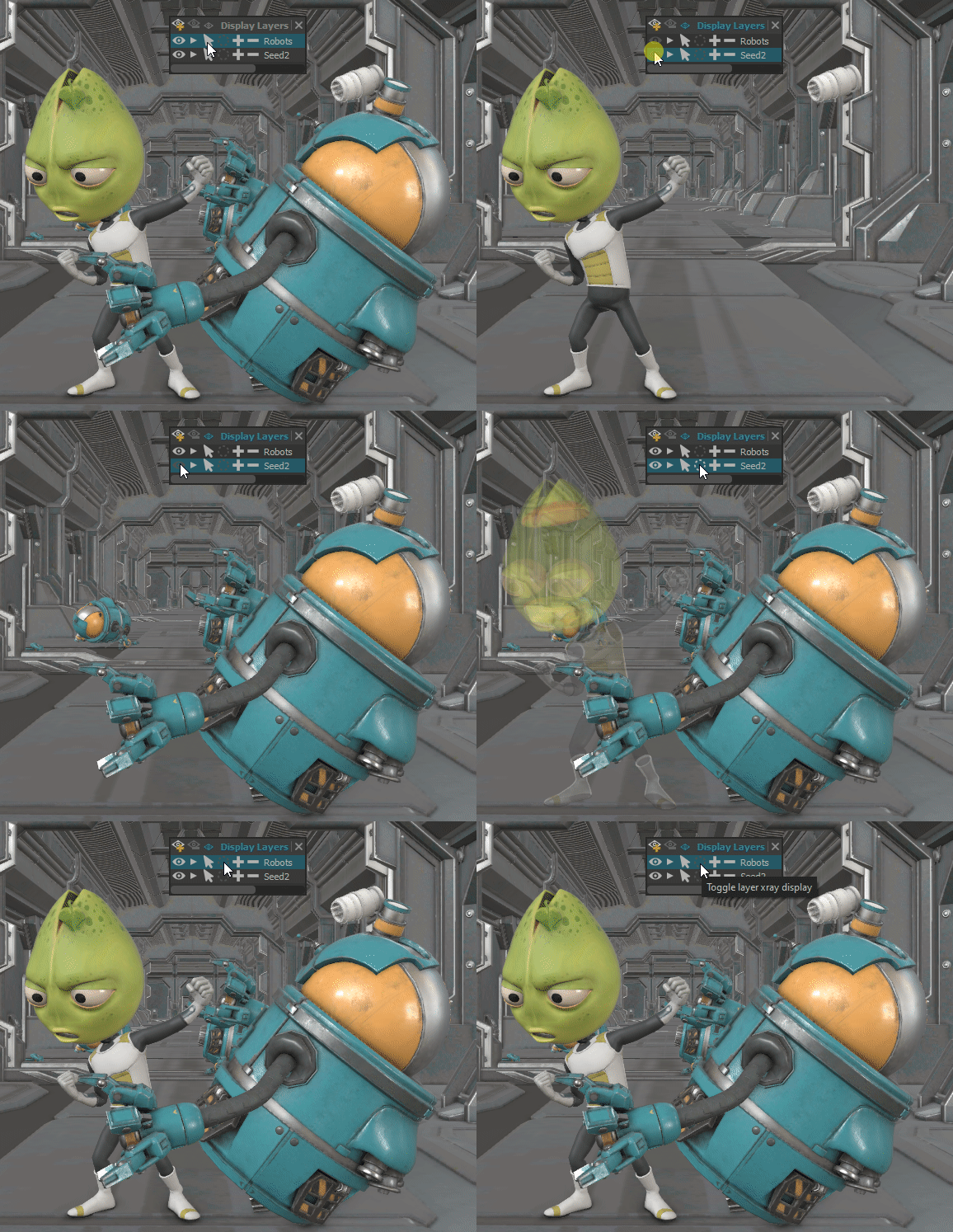
Display layers panel. A new window to manage the display layers.
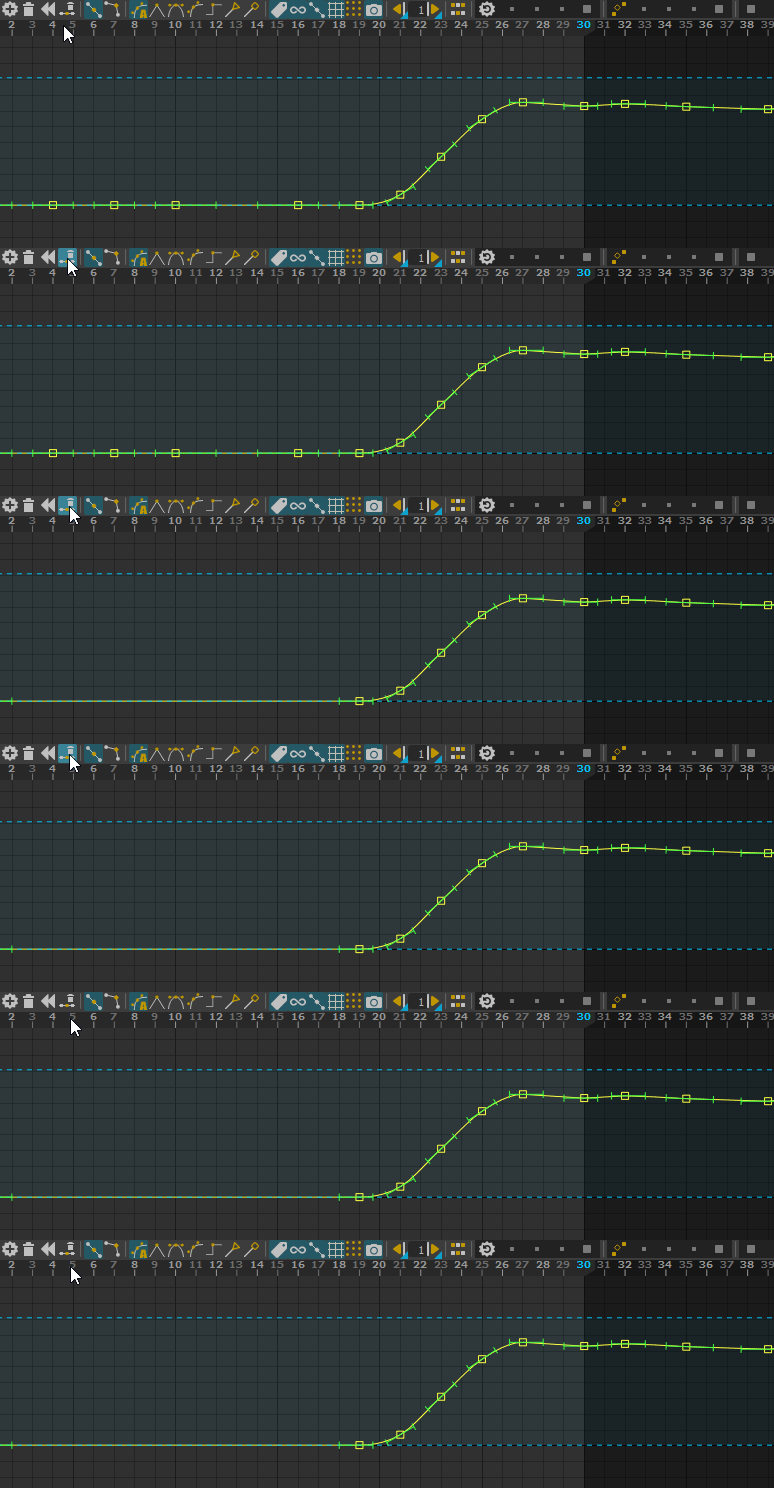
Remove redondant keys animation tool
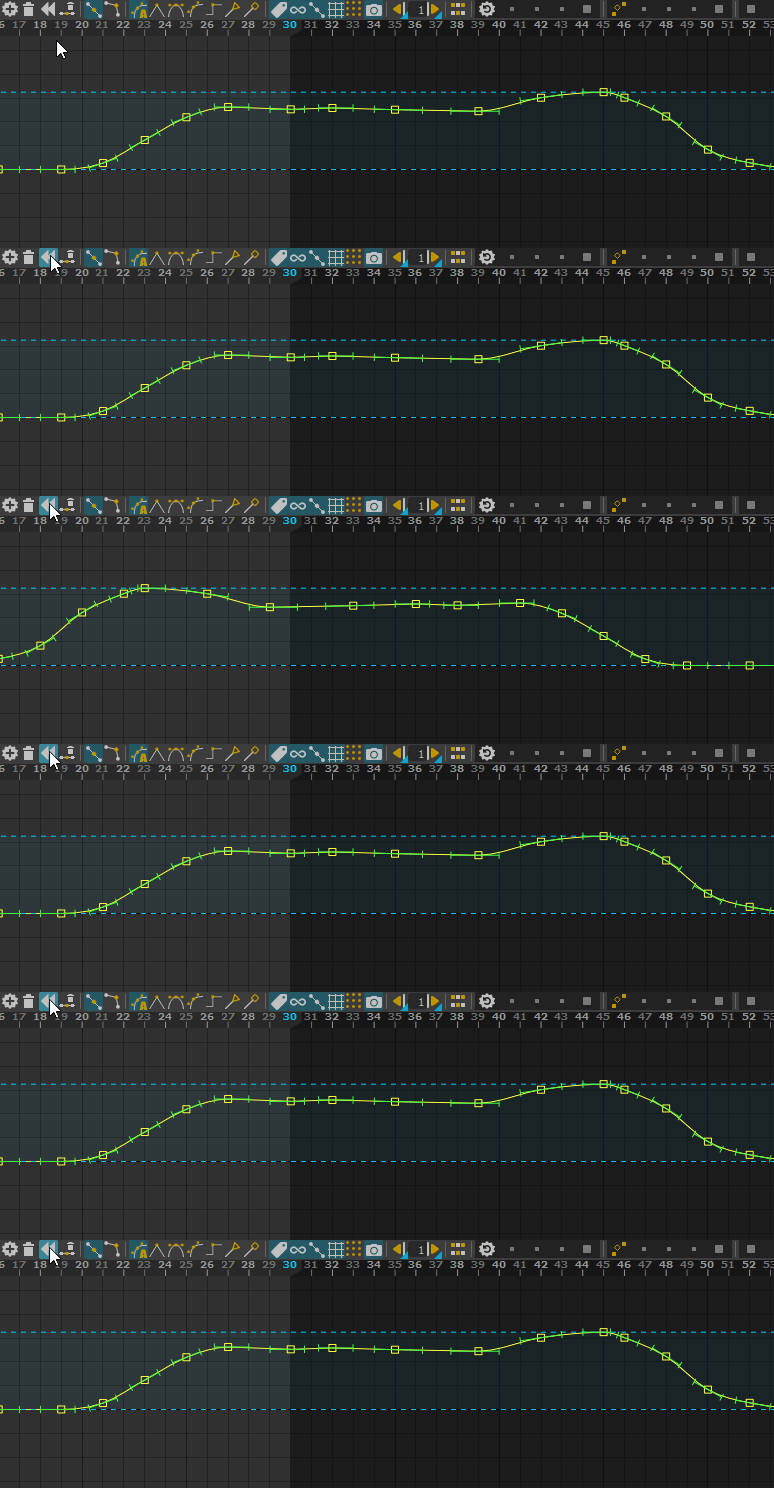
Reverse keys animation tool
Video alpha support
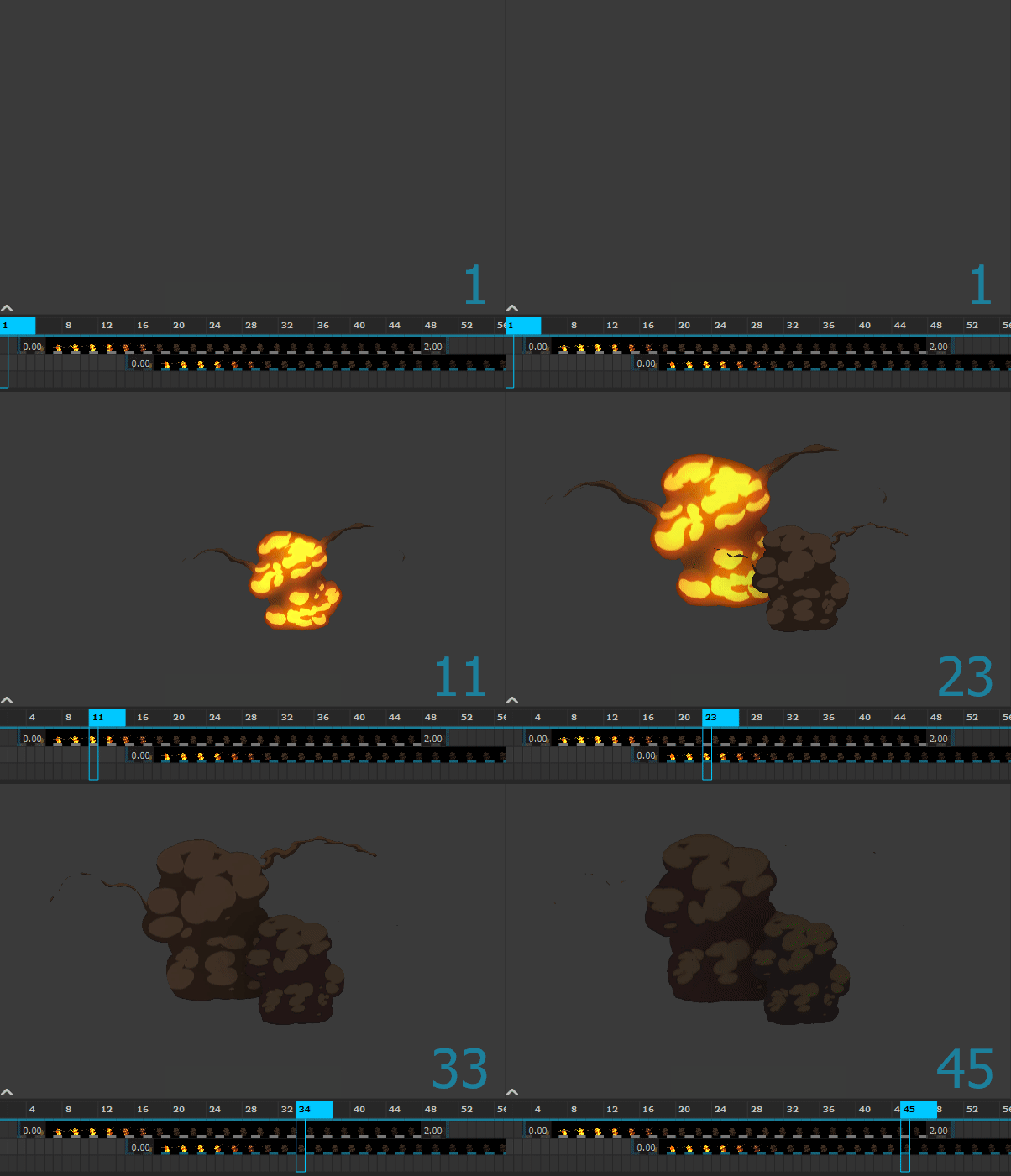
Import/Export FBX camera animations.
Condition manipulator, a new manipulator to switch between two others manipulators regarding a condition.
Improvements
Improve the speed in the Sculpt and Sticky deformers
SDK
Better Python API documentation
New in Version 1.2.8
Release date: 2023-06-26
Improvements
Fix the translation tool on controllers using a rotation pivot
Fix the translation tool on scaled controllers
SDK
Add an OpenGL renderable C++ plug-in sample, in maquina/sdk/examples/cxx_plugins/OpenGLExample.cpp
New in Version 1.2.7
Release date: 2023-06-05
Improvements
Fix the Euler Filter animation tool (it was broken in some configurations)
Fix a crash importing videos in odd resolutions
Fix a startup crash
Fix a crash using animation tools with a video layer on the top
Add settings to configure the new motion trails
Change the default motion trail settings for a single trail (no axis visible by default)
New in Version 1.2.6
Improvements
Fix a crash in the annotation tool
Fix a crash in the Sticky Deformer tool
Allow to flatten a non-editable layer
Fix a crash when duplicating a non-editable layer
Better precision in the rotation tool when far from the origin
Better behavior translating two mirrored controllers at the same time
MTORBA
Better rebuildCurve
Better rebuildMatrix
New in Version 1.2.5
Release date: 2023-03-17
This is a service release with documentation and fixes in Rumba and MTORBA (Maya To Rumba).
Documentation
Watch this new video: Exchange animations with maya
New/Updated documentation:
Improvements
Fix issues in the animation exchange between Maya and Rumba
Fix a crash when trying to load textures from an unmounted drive on Windows
Fix a PYTHONPATH environment variable clash
Faster nurbs surface evaluation
Fix a crash when exporting an animation with unloaded references
Fix broken URLs to the different Rumba web pages
Better precision in nurbs curve closest point
Fix a crash when deleting some controller animations
MTORBA
Add textureDeformer support with ramp and placeTexture2d operators
Add aimMatrix support
Add proximityPin support
Add kFloatMatrixAttribute dynamic attribute support
Add uvPin on nurbs surface support
Add blendMatrix support for Maya 2023
Fix many issues in the import and export of animation
Faster wire deformer
Disable export/import features before Maya 2019
Fix wrong tangents with non-weighted animCurveUU
Fix missing offsetParentMatrix attributes on joints
Fix ikHandle used with offsetParentMatrix
Better ikRPsolver and ikSCsolver, better result with more than 2 links, support preferredAngles
Better pickMatrix shear decomposition
Better tweak support
Better rebuildCurve support
Fix some ikSpline ramp parameters
New in Version 1.2.4
Release date: 2023-02-10
Animation and Camera exchange between Rumba and Maya
In order to facilitate the adoption of Rumba in Maya centric pipelines, we have improved different import and export processes between the two software:
Maya camera rigs can now be exported to Rumba as regular assets.
It is now easy to import a Rumba animation project from Maya. Assemble a shot scene in Maya with the characters and cameras references, select a Rumba project and get your animation back in Maya. Great to quickly integrate Rumba in an existing Maya pipeline. When possible, the import process preserves the original animation keyframes.
See Import a Rumba Animation in Maya
It is also possible to export Maya animations in the Rumba’s library animation file format. You can use that to convert an existing Maya animation library or to exchange a camera animation. The export process preserves the animation keyframes.
Improvements
Fix a crash if a manipulator and a controller have the same name
Fix a crash on Linux on some system with no sound
Fix a crash after a media drag’n drop
MTORBA
Add support for Maya cameras
New in Version 1.2.3
Release date: 2023-01-26
Improvements
Fix a rendering issue on AMD graphic cards, no lighting on subdivided meshes.
New in Version 1.2.2
Release date: 2023-01-23
Introducing a new layer workflow
This version introduces a new layer workflow.
Layers can now be editable or non-editable. There is no active layer anymore. So it’s now possible to animate controllers in different layers without having to switch between them! See this youtube video and the Animation Layers detailed documentation.
This version also introduces groups of layers.
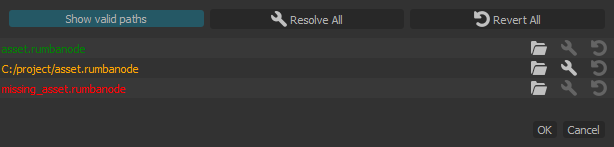
Project Directory
Rumba projects can now be relative to a Project directory. It is now easier to move or share Rumba projects using external files and correct missing files. See the Project directory detailed documentation.
Rumba now includes a File Path Manager to manage the file paths of a project.
MTORBA
New shelf and script commands to export animation from Maya to Rumba’s library [URL]
Export Maya camera rigs
Improvements
Picker double click issues
Media thumbnail takes speed into account
Fix crashes in painting sculpt and sticky deformers
Remove renaming on double click in the library
Issue editing animated or overriden attributes
Fix IK solver corner cases
New in Version 1.2.1
Release date: 2022-10-14
Features
Support Python node plug-ins. You can now use Python to write node plug-ins. Beware it is drastically slower than C++ and runs on a single CPU.
Faster rig interactions. Some heavy controllers (world, pelvis) were moving at 5fps and are now moving at 20fps. Other controllers benched at 20fps are now moving at 30fps.
Better Nurbs surface and curve support
MTORBA
Add multi UVs support
Add follicle.mapSetName support
Add follicle.flipDirection support
Add nurbsTesselate support
Add pickMatrix support
Add offsetSurface support
Add MFnNumericData.k4Double type support
Add shrinkWrap.parallel_to_axes support
Better nurbsTesselate support
Better transformGeometry support
Better curveFromMeshEdge support
Better loft support
Better avgCurves support
Better blendMatrix support
Increase the raytracing precision for shrinkWrap
Faster follicle in UV projection
Bug Fixes
Dead lock after dezooming the curve editor with animation curves in repeat mode
Better Windows console support, messages are now displayed with both rumba.exe and rumbabatch.exe
API
Python binding for some of the OpenMaya classes
Better logs about plug-ins loading
New in Version 1.2-rc.1
Features
Better Snap To, Nudge and Share Keys animation tools
The USD/Alembic cameras can now be selected, unlocked, overriden and moved from the viewport
Add a camera shape visible in the viewport
Export the visibility animation in USD/Alembic
Add a custom export path per Asset to use when baking to a USD/Alembic file
Introduce dynamic mouse cursors on Linux (only Windows before)
MTORBA
Add rotateHelper support
Fix various export crashes with Maya 2022
Fix rig cycles when transforms do not inherit
Support for rigged visibility on deformed geometries is back (broken in 1.2-rc.0)
rotateOrder is now exposed in the rig if keyable in Maya
Bug Fixes
Onion skinning temporal editing is back (broken in 1.2-rc.0)
USD transforms animation is back (broken in 1.2-rc.0)
Faster posing with motion trails enabled
Better camera export to USD
Undo after a Save As could lead to a crash
Crash on Linux reading Alembic files with no UVs
Support cameras with a scaled transform
Fix a Rumba freeze when editing a curve’s tangent with a single key
Fix a posing pop using the temporal editing in rotation
Wrong constraint result when used on Joint nodes with jointOrient values
Importing some media corrupted the Rumba project
Impossible to delete a curve snapshot from the curve editor
The curve editor had sometimes an offset with the mouse cursor
Asset nodes loaded/referenced from Python were not visible
Impossible to load media files with uppercase extensions
The picker sometimes failed to control rigs if some manipulator were missing
API
The USD Python bindings are now available from Rumba
Better C++ SDK documentation
Better maquina::SpanSpan API
Add maquina::Scene attributes accessor
Known Issues
The USD transforms used when posing USD objects might be wrong
Memory leak using media files
New In Version 1.2
This major release introduces deformation tools designed for animators.
The two first tools are :
An animatable sculpt tool. Simply sculpts the geometry over the animation with different brushes, the sculpting is animated with keyframes and follows the rig.
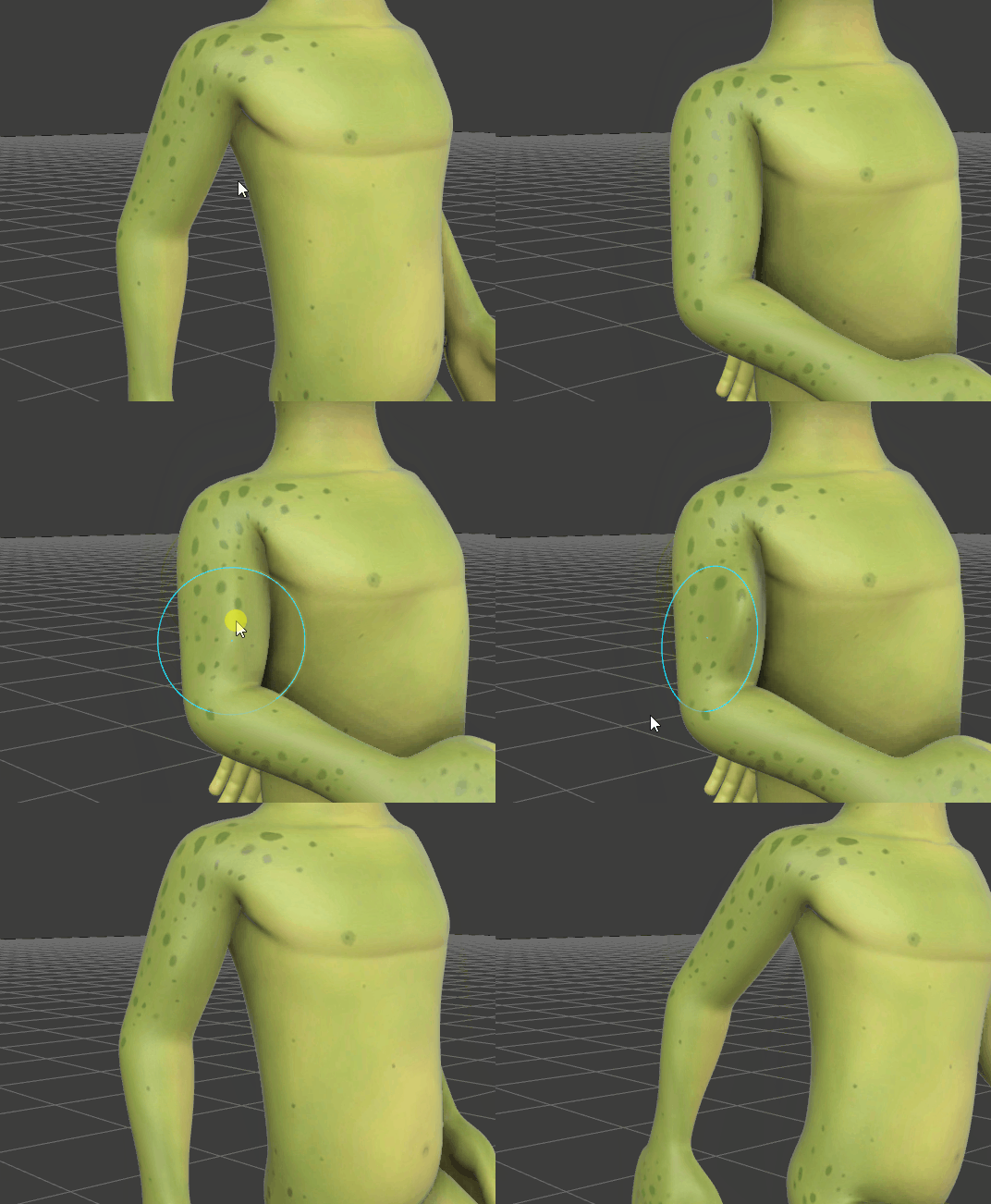
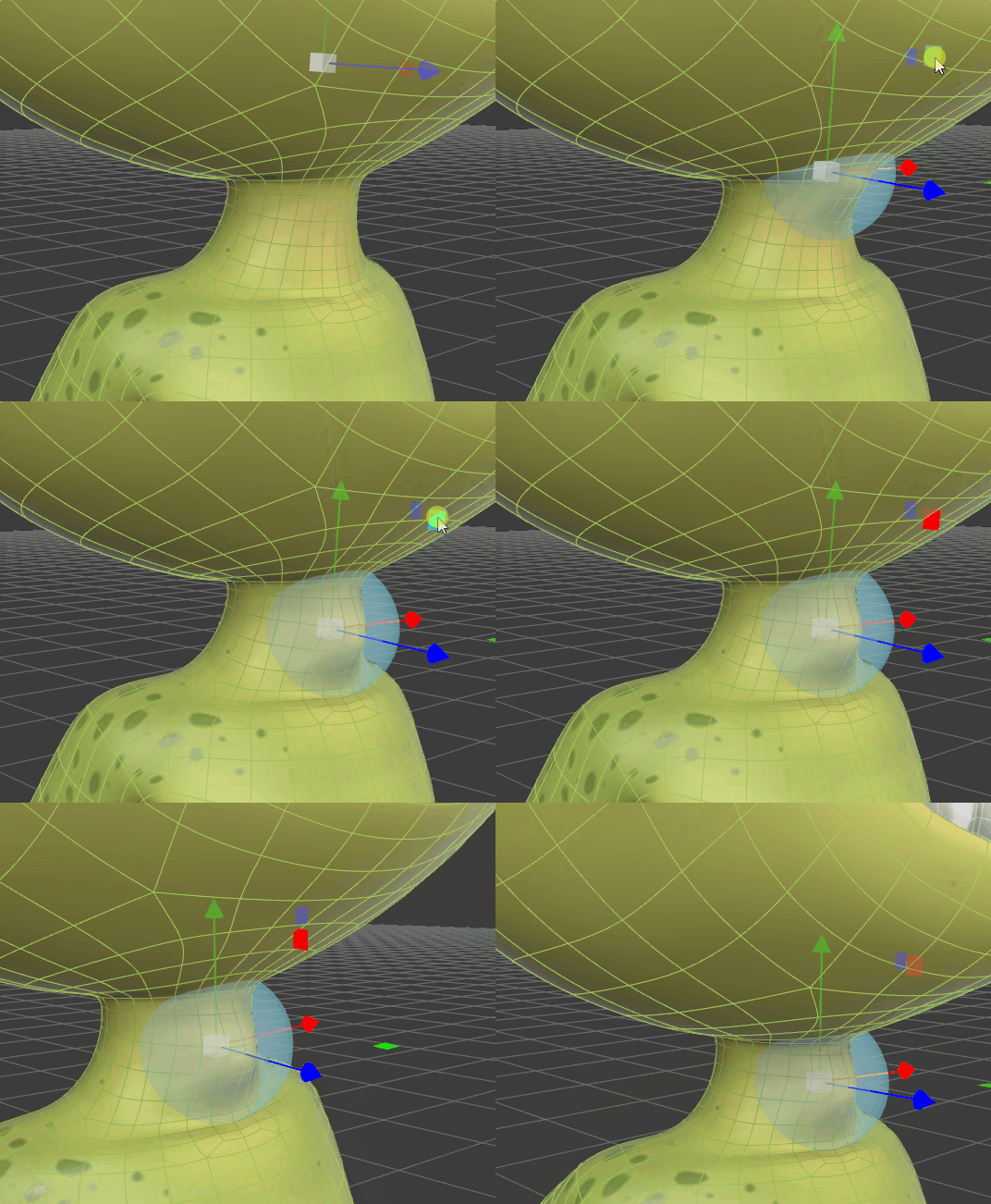
A sticky deformer with different operations (deform, smooth, relax and mush). The weights can be painted and animated. A sphere tool can also be used to define those weights. The tool follows the rig.
Other Features
This version includes the IK <-> FK switches.
Performances
The Rumba evaluation engine has been upgraded and now gives a faster interaction response, and takes less memory during the caching of the animation.
New In Version 1.1.5
Release date: 2021-03-01
This release is mostly focused on improving MTORBA (Maya To Rumba).
Features
The animation tool can now scroll when too large
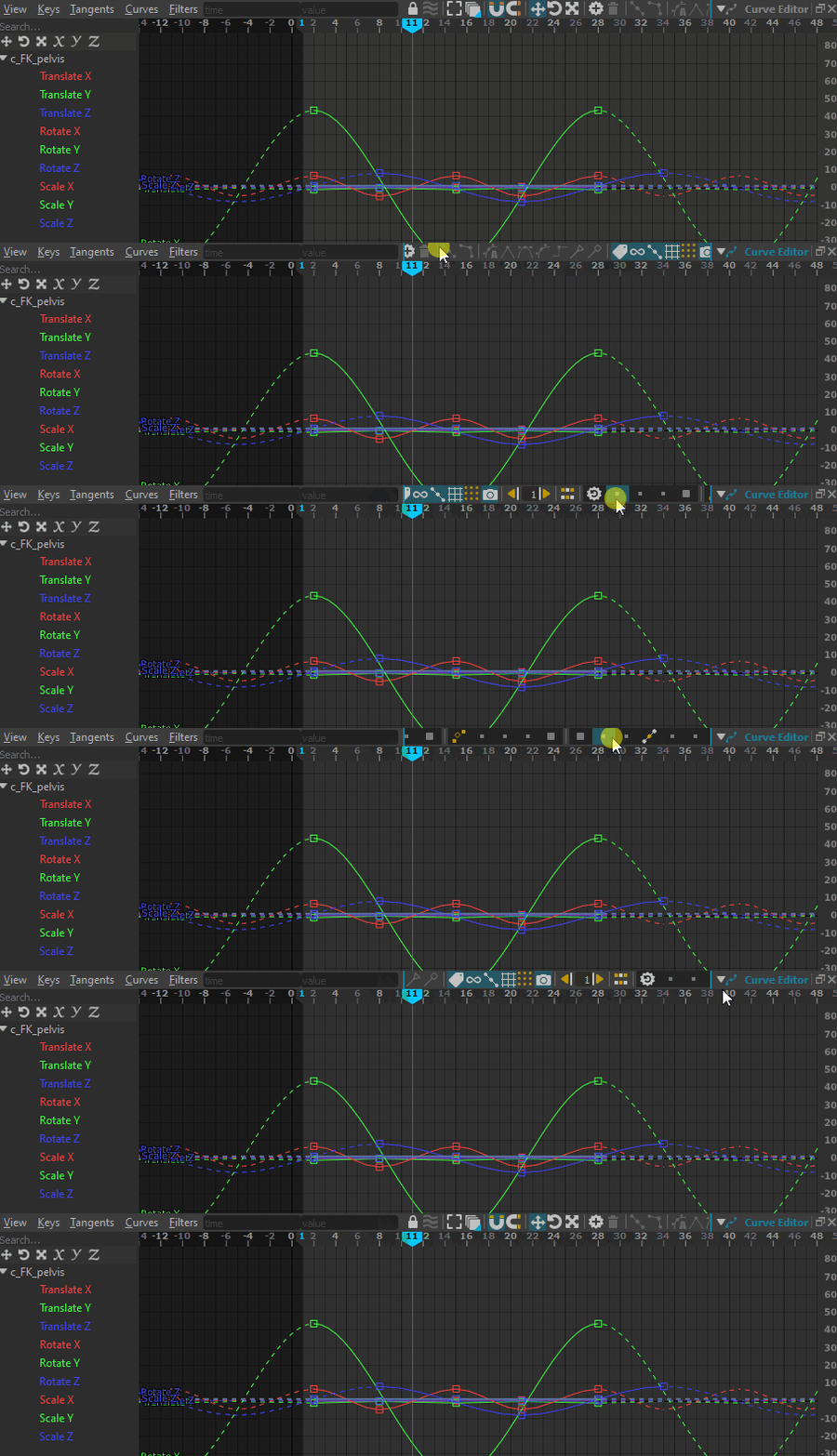
Add a lock button on media layers
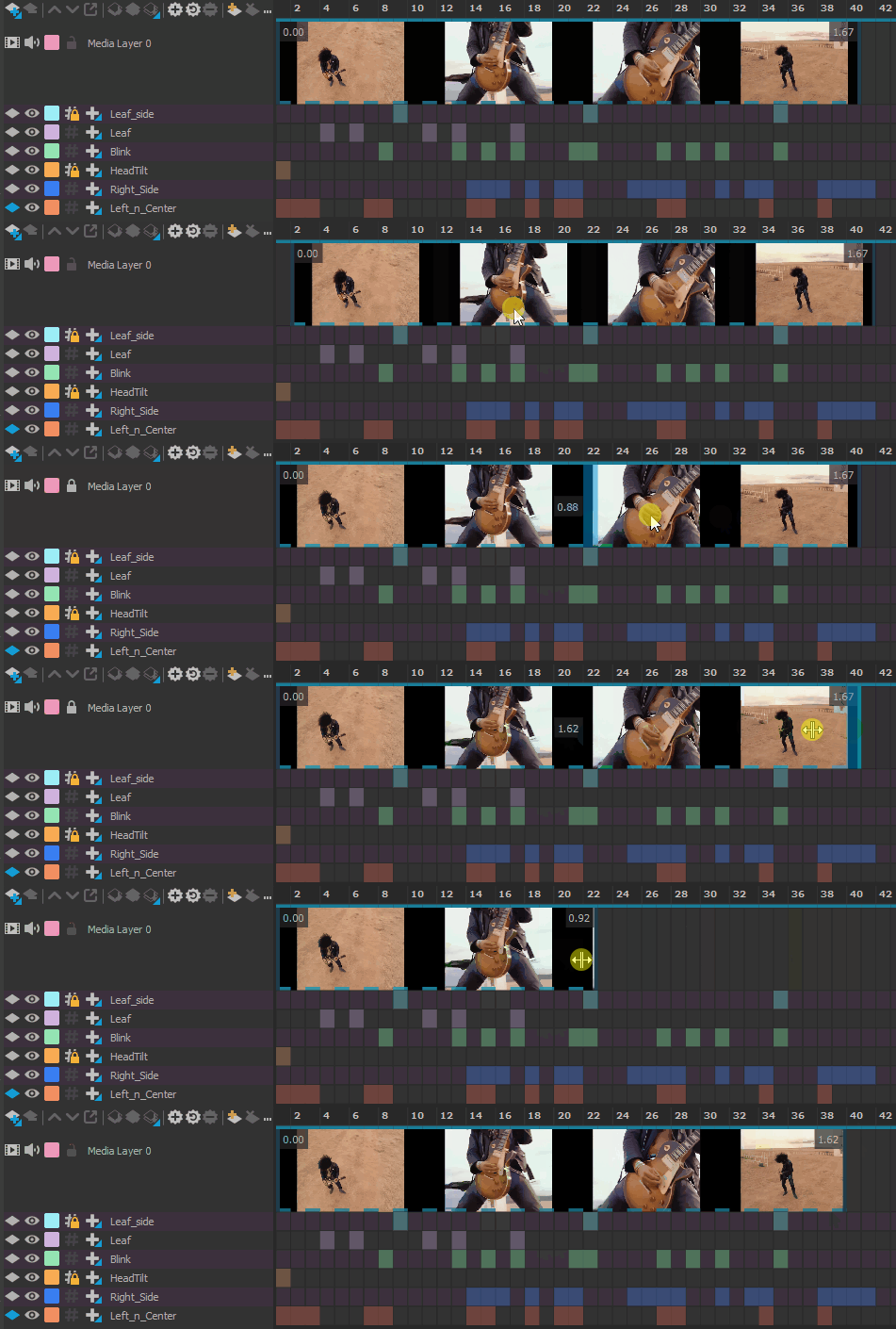
Select the content of a display layer using the middle mouse button
Quality
Improves the camera animation experience
Improves Nurbs speed and accuracy (evaluate, closest point, param from length)
Better Maya MTransformationMatrix API support
Better Maya Euler decomposition
MTORBA
New MGear solvers (matrixConstraint, springNode)
Faster motionPath
Enables cvWrap AVX support
Better arcLengthDimension
Better ffd
Better pointOnCurveInfo
Support quaternion component connections
Support for decomposeMatrix.inputRotateOrder
Support Maya 2022’s component tag
Fix splineIk on mirrored joints
Fix splineIk used with scale and advanced twist
Fix splineIk with connected root translation components
New In Version 1.1.3
Release date: 2021-12-15
More Animation Tools
Improves the mirror algorithm, we now compute a left <-> right transformation matrix based on the default rig pose
Mirror to left, mirror to right

Simplify curves
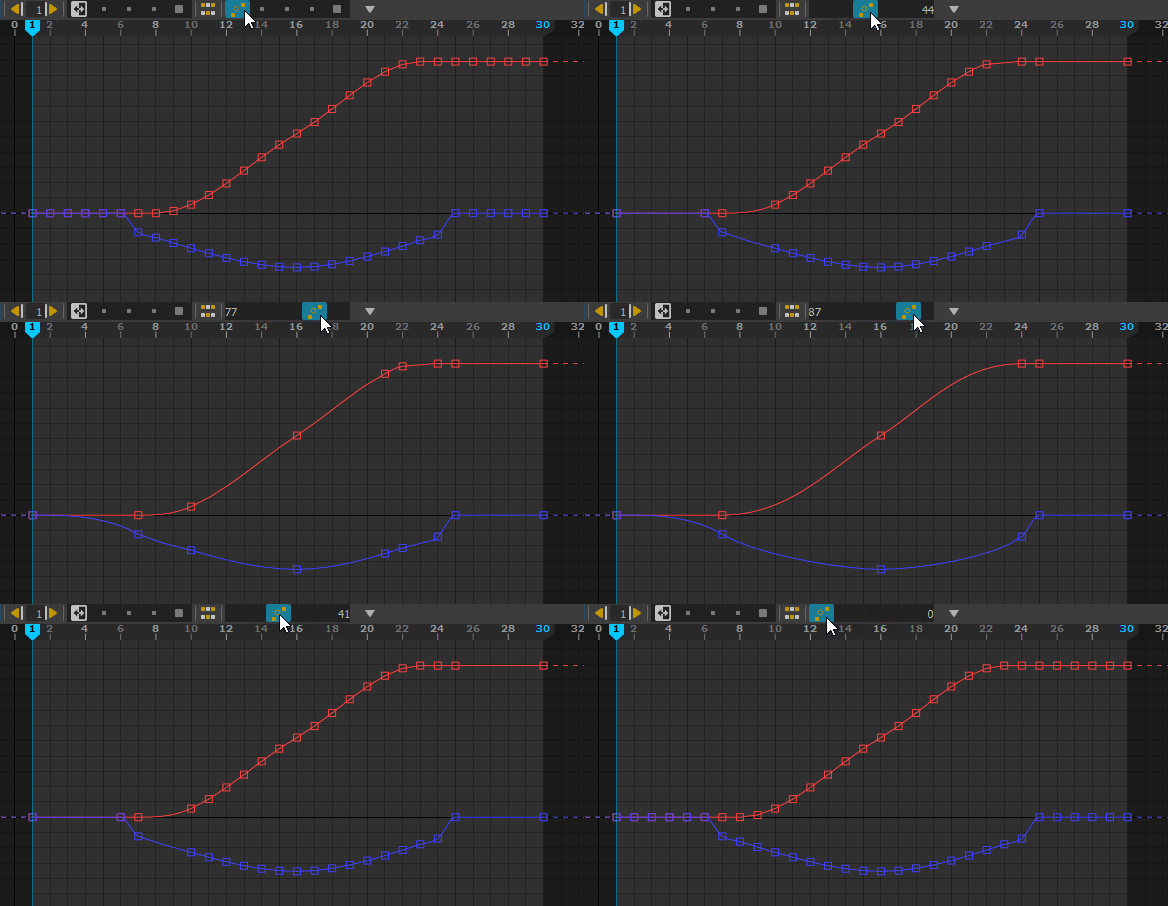
Bake keys, every keys, on 2’s…
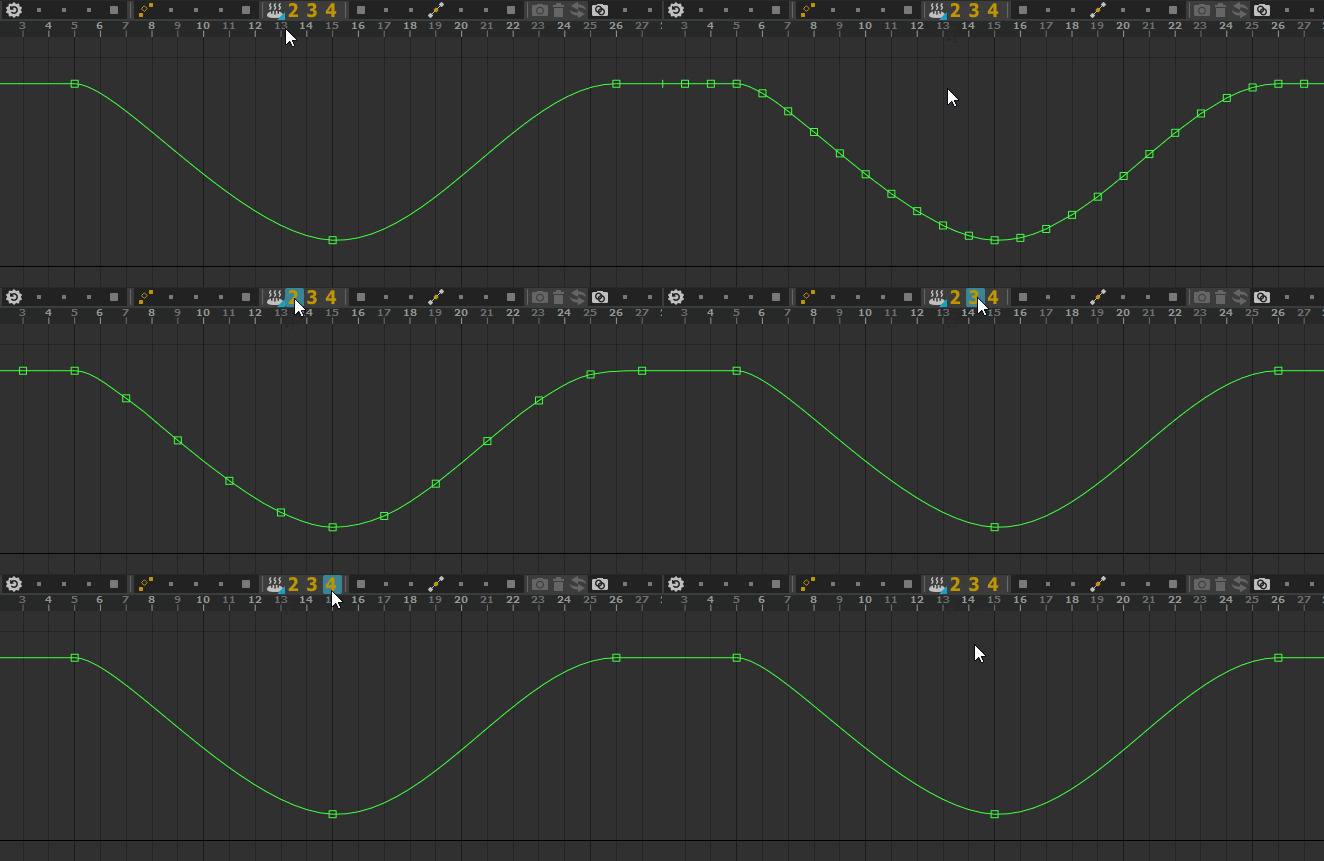
Reset To Default is available in the main toolbar
Features
Display layers
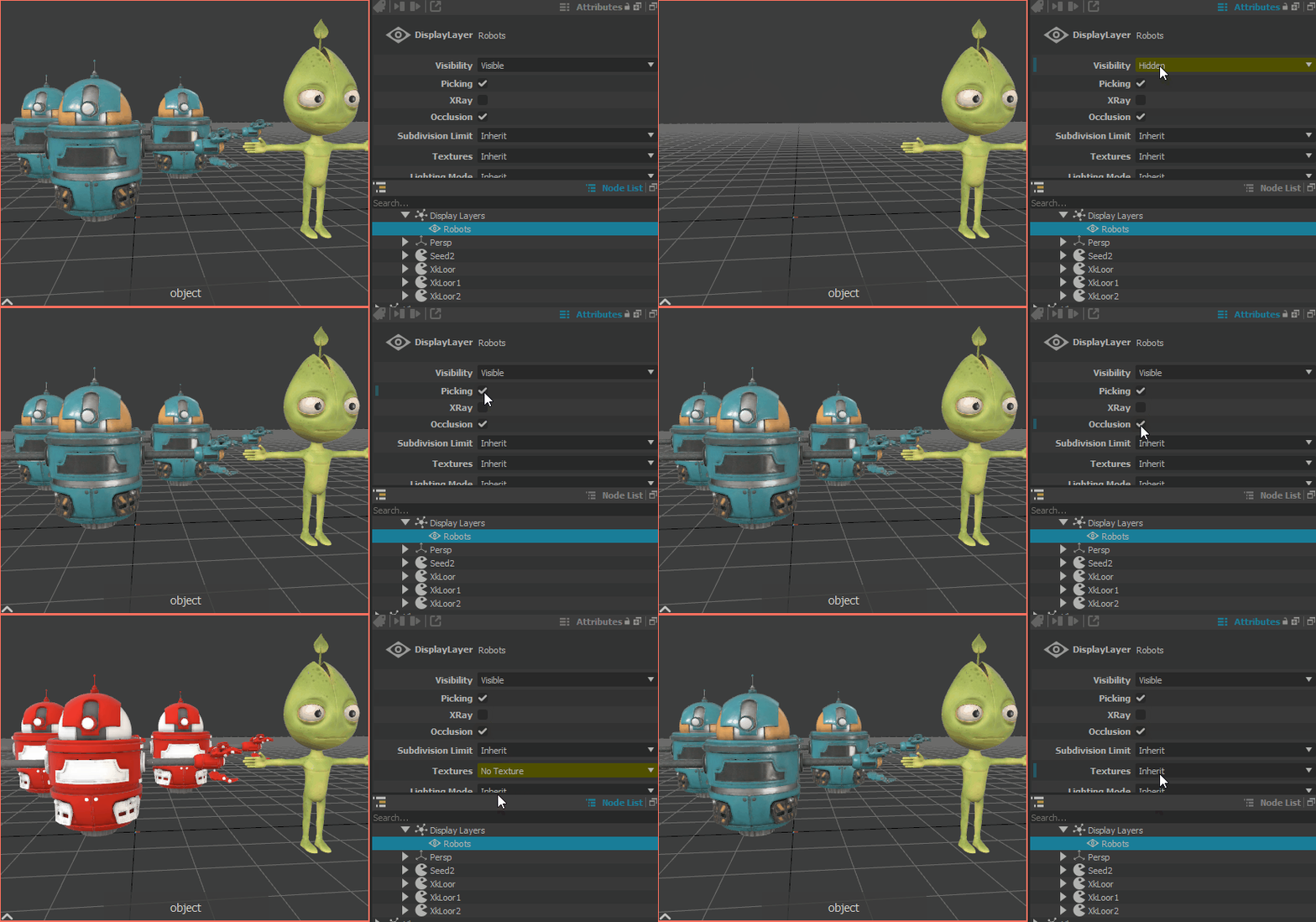
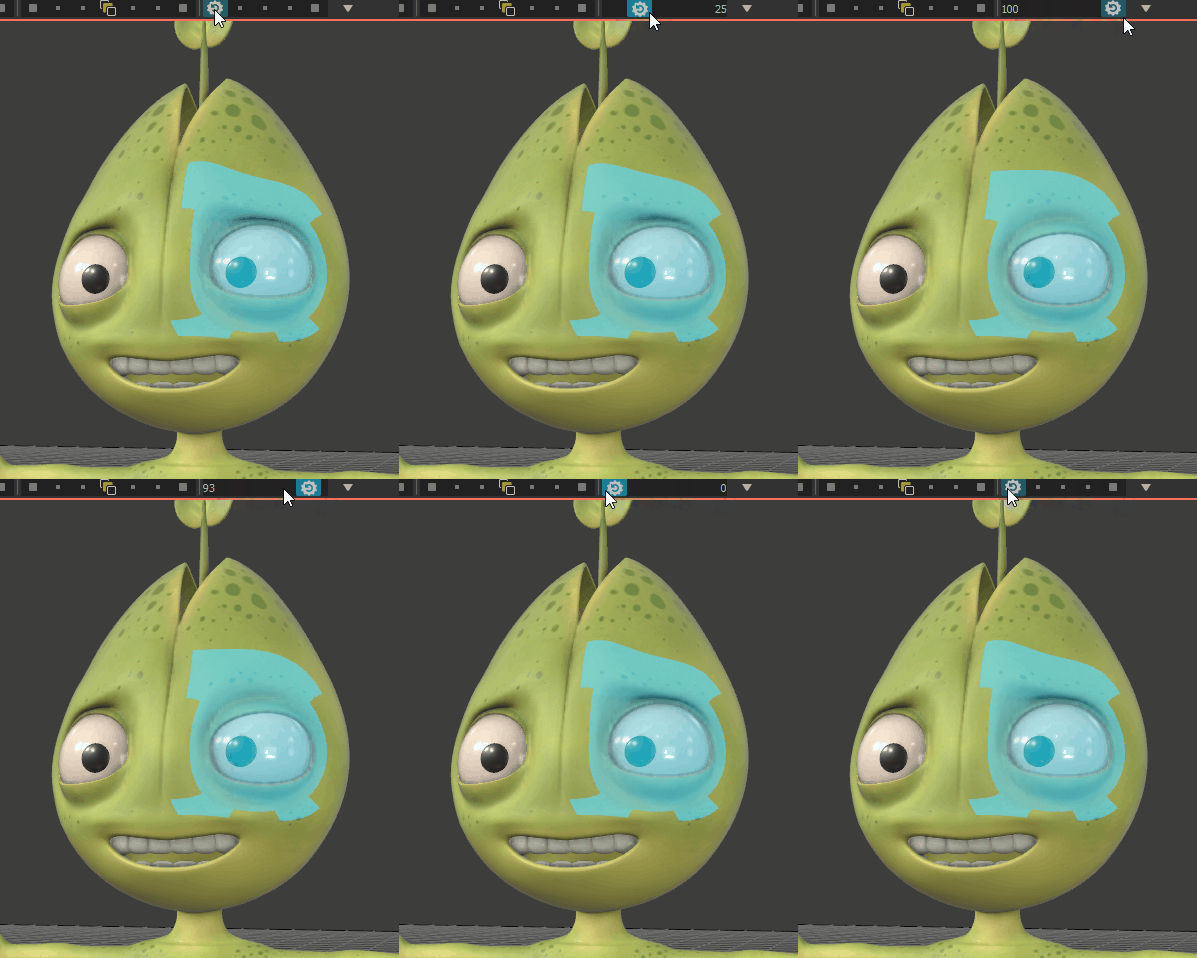
Assign assets and USD files to display layers and change their display overrides
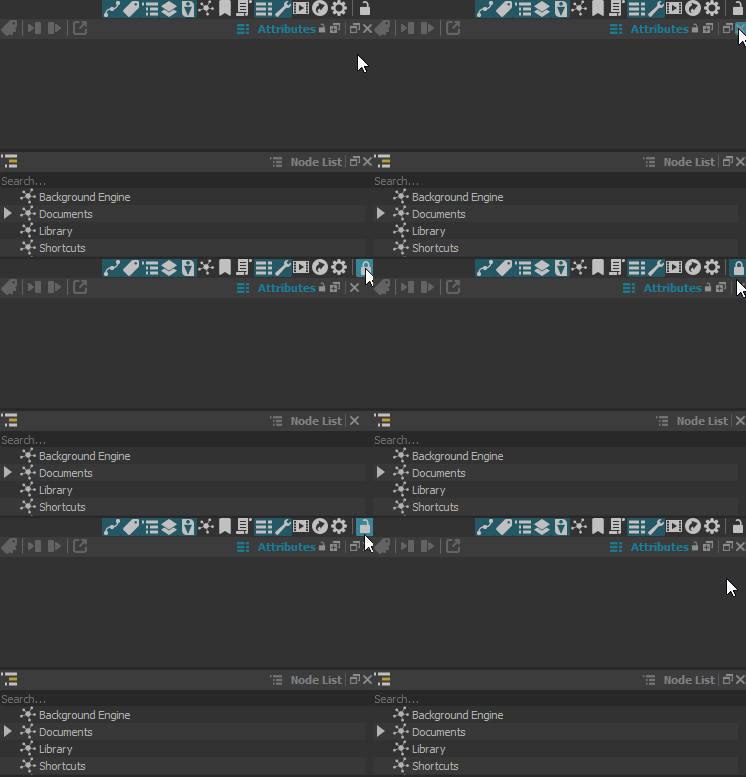
Lock/unlock the UI
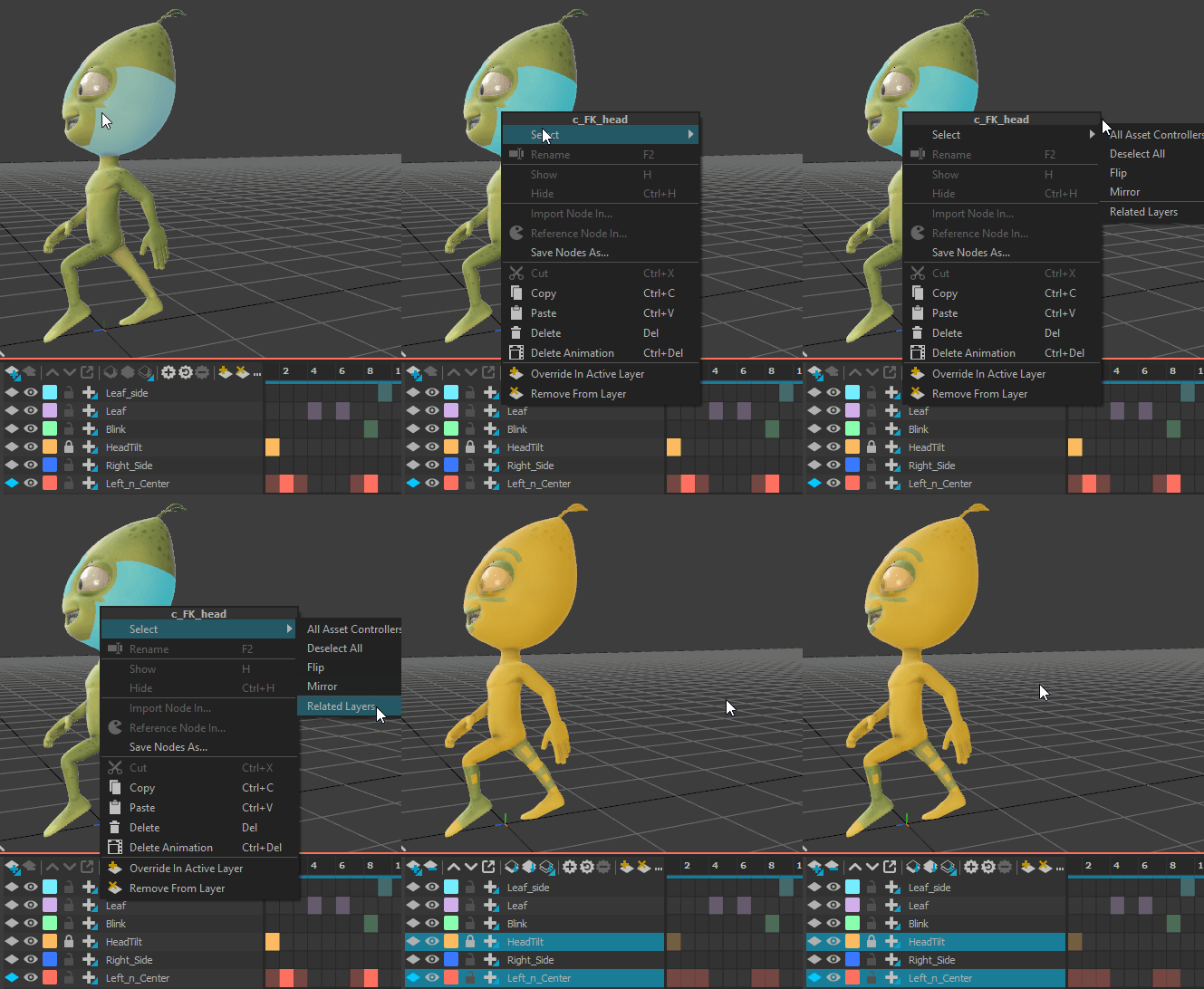
Command to select the layers where a controller is used
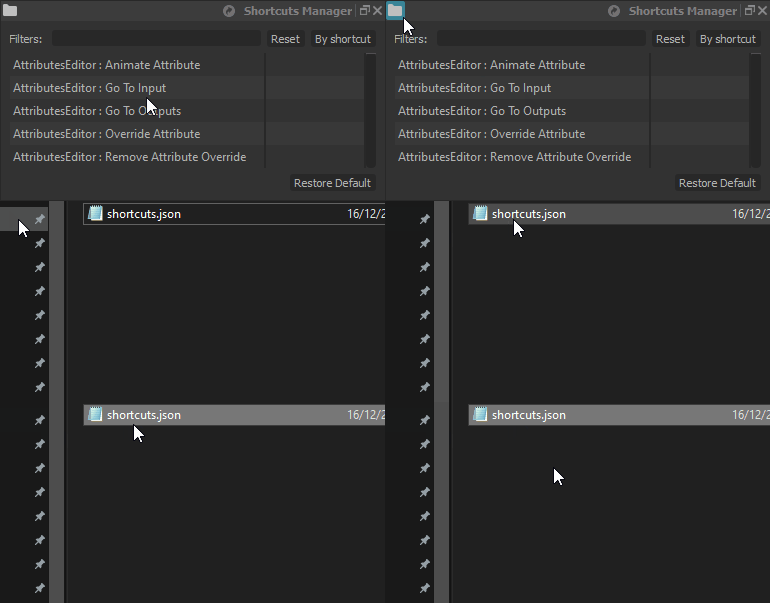
Command to open a file manager on the Rumba’s shortcut file
Drag and drop a file on a path attribute
Command to add the selection to the active layer
Quality
Fix input lags using Wacom tablets on Linux
Fix a crash when pasting in the timeline
Fix some UI glitches with a custom screen DPI
Hide some animation tools by default
Motion trails can be created from a manipulator selection
Animation curves for the layers attributes (i.e. layer.weight) are now visible in the curve editor
MTORBA
Add support for the Chad Vernon’s cvWrap plug-in
New In Version 1.1.2
Release date: 2021-12-01
More Animation Tools
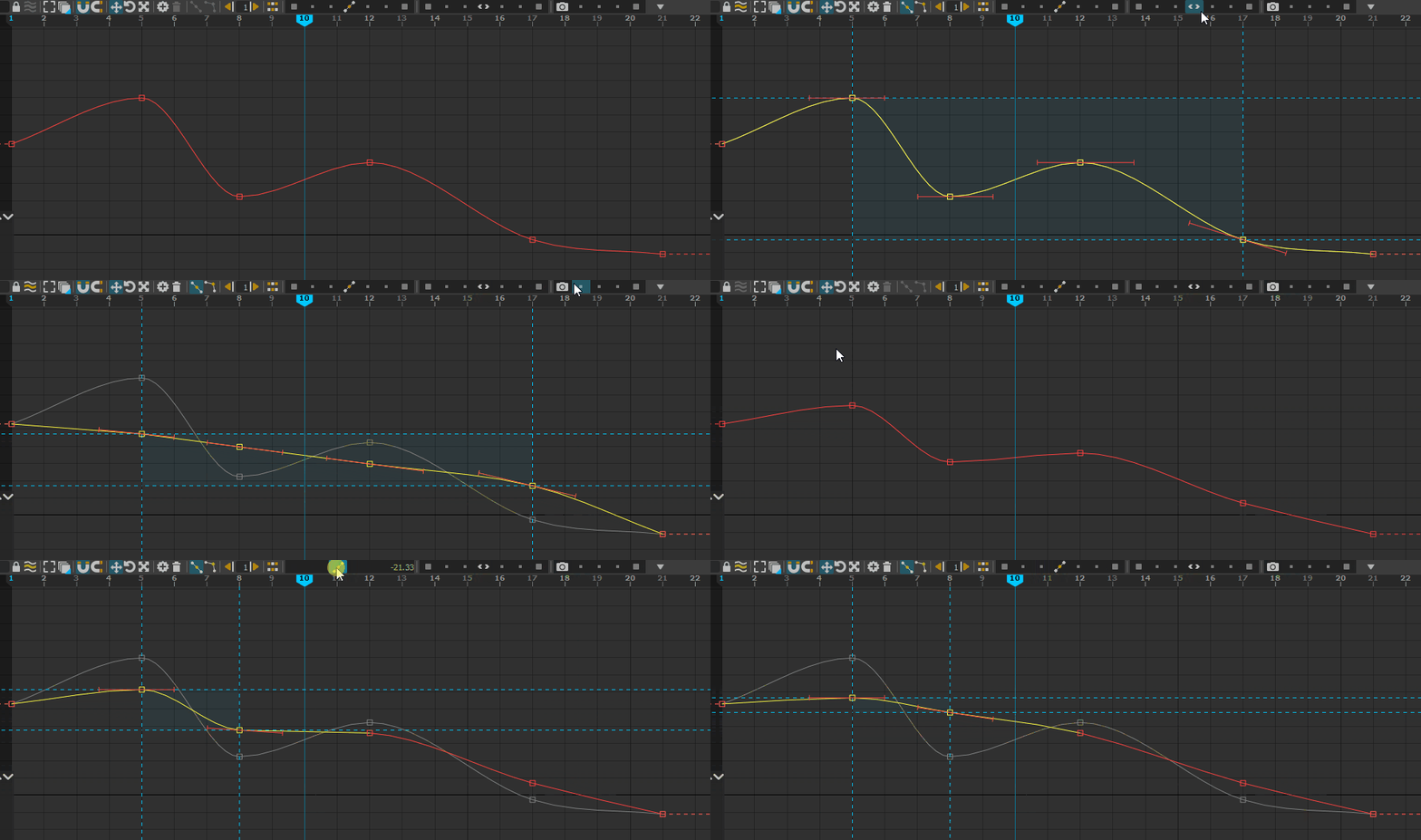
New tools available in the curve editor :
Ease In / Ease Out
Blend To Snapshot
Blend To Neighbors
Copy / Paste in the viewport
Copy and paste poses with CTRL+C/CTRL+V directly in the viewport
Paste poses on multiple objects at once
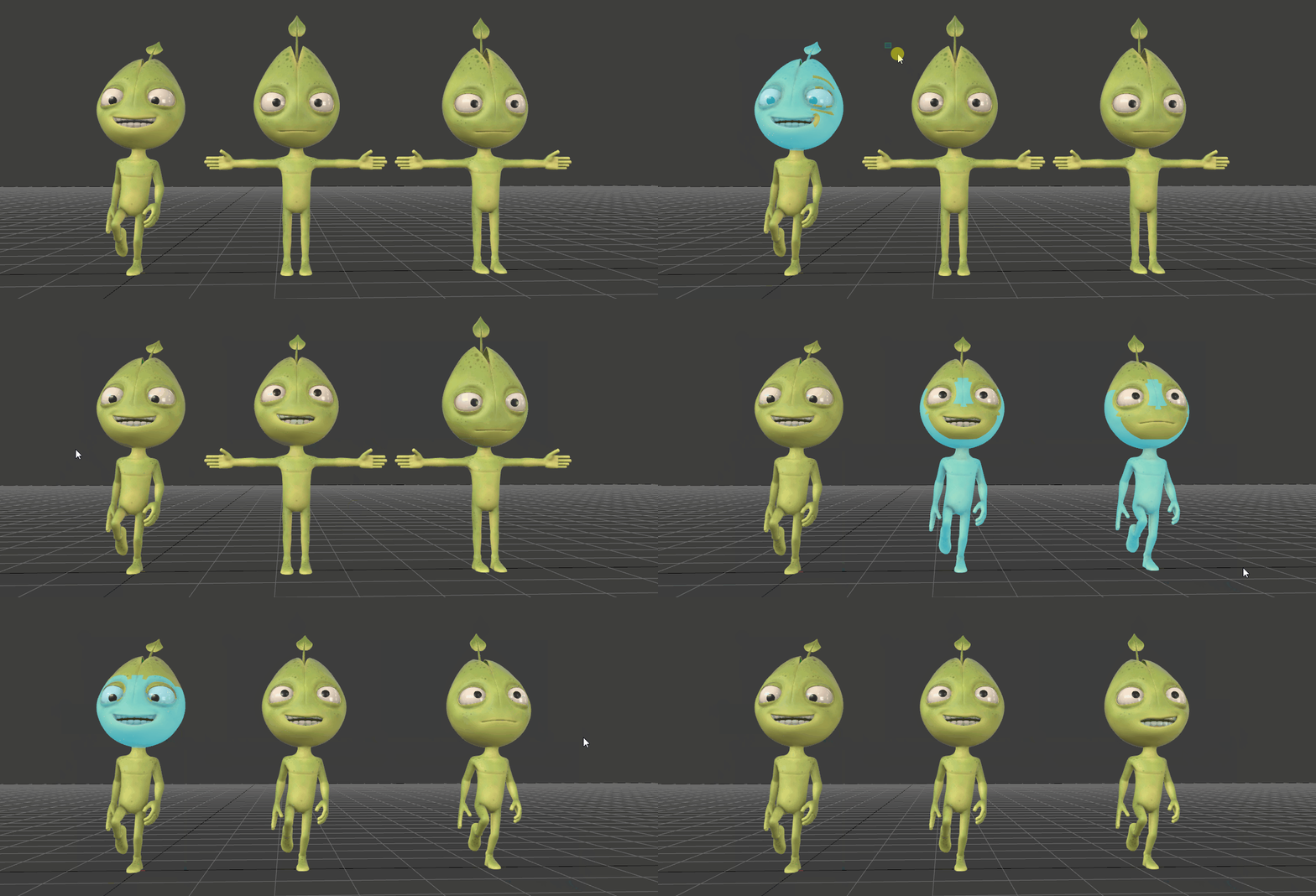
Viewport copy/paste.
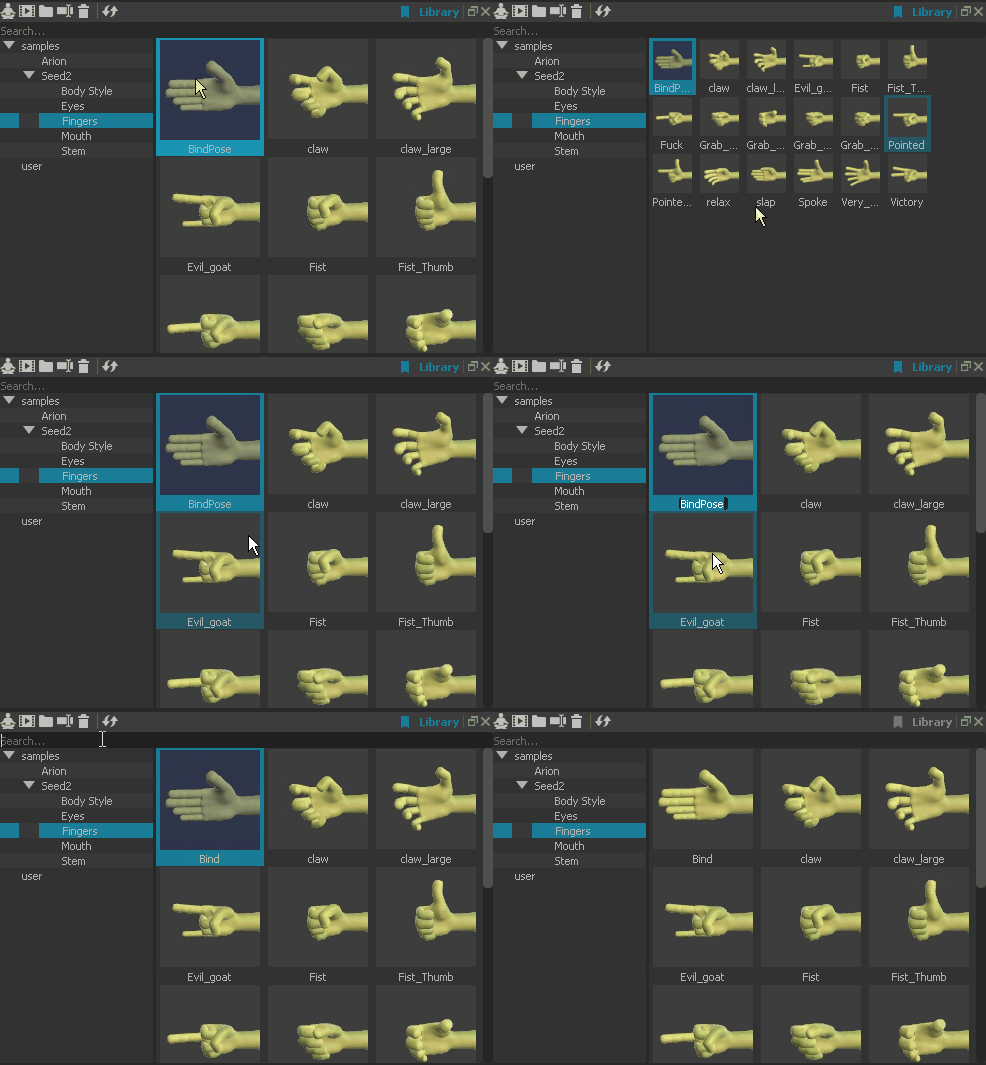
Pose Library
The pose library has been upgraded:
Rename / delete pose library items
Search in pose library
Resize the pose library thumbnails
MTORBA
Add support for Maya2020’s offsetParentMatrix plug
Add support for Maya2020’s blendMatrix node
Add support for Maya2020’s uvPin node
Add support for the fitBspline node
Add support for the visibility overrides
Add support for cMuscleSurfAttach.outRotate
Better support for the parentConstraint/orientConstraint interType shortest/longest modes
Better support for python scrits in mel, globals, GIL when issues using numpy
Add support for the global mel keyword
ffd deformer rework
Fixes
Use the mouse wheel on animation tools sliders
Various Picker issues, sub menu, association, key release
Breakdown on curves selection
New In Version 1.1.1
Release date: 2021-10-28
Animation Tools
This update introduces multiple new animation tools and a new toolbar design to organize those tools.
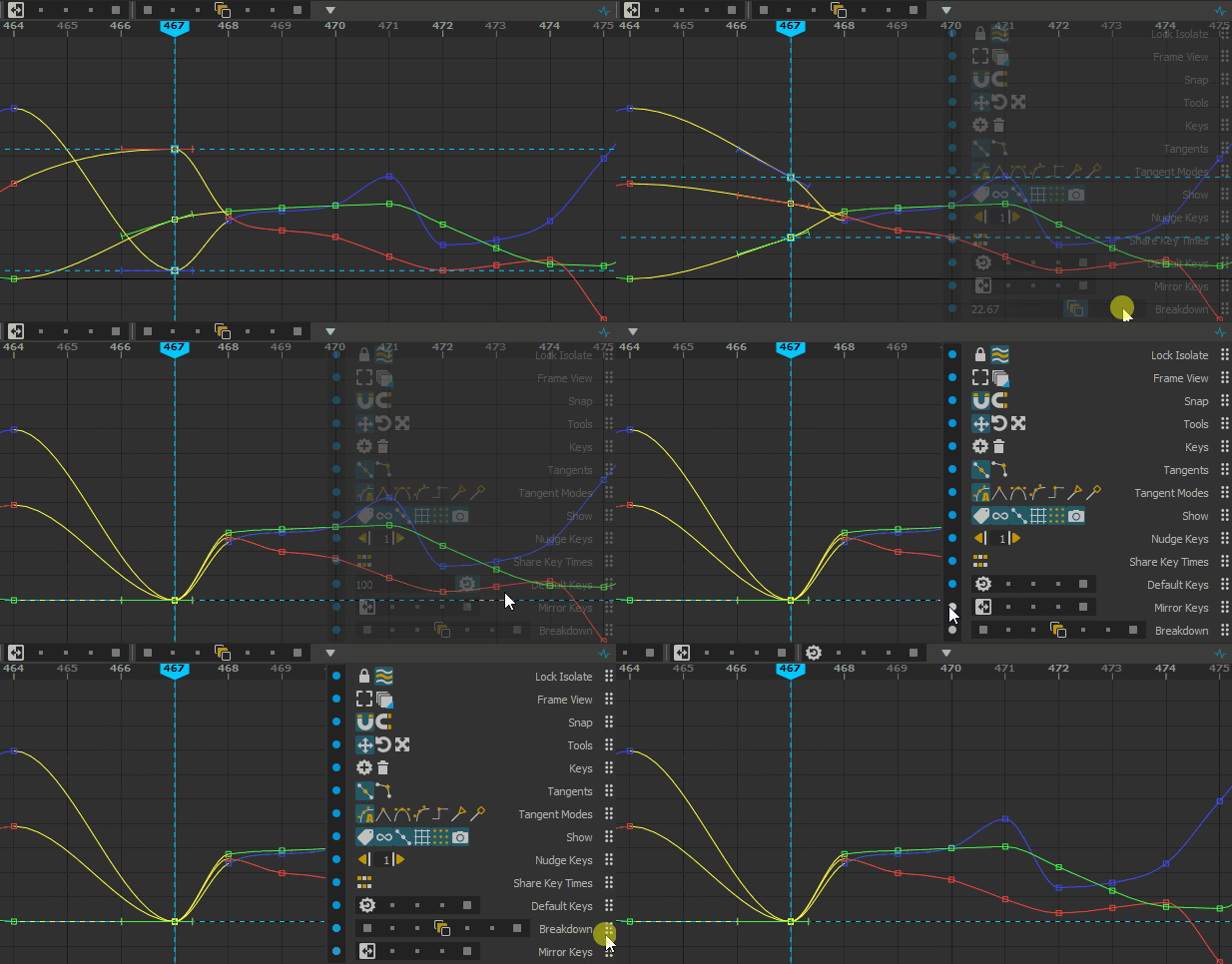
The new toolbar design. The tools can now be used from the bar or from the popup menu. The bar can be re-organized by the animator.
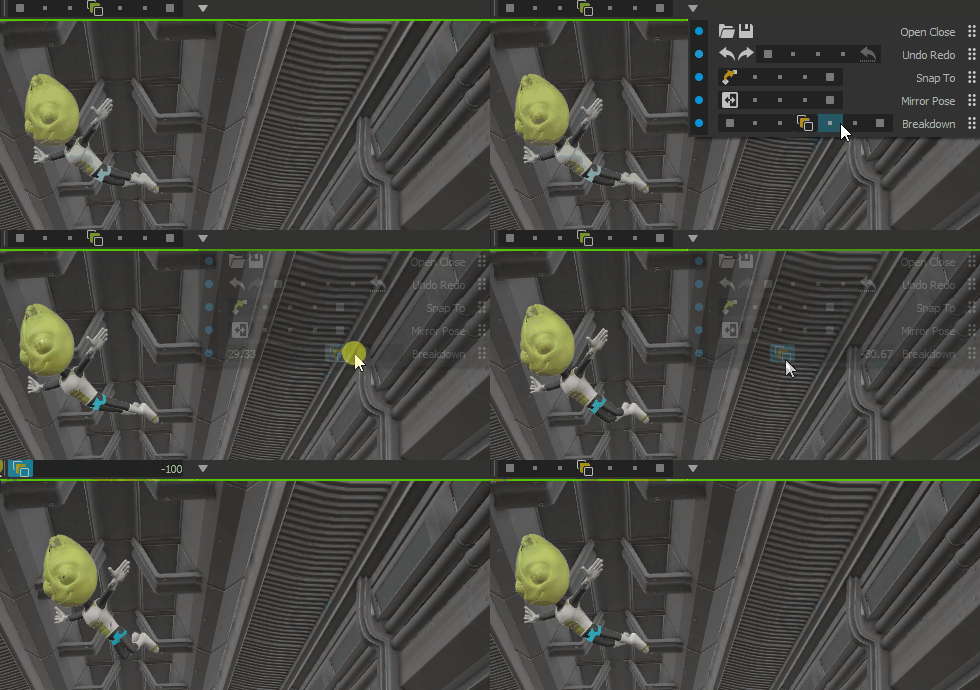
The Breakdown tool using the new slider widget.
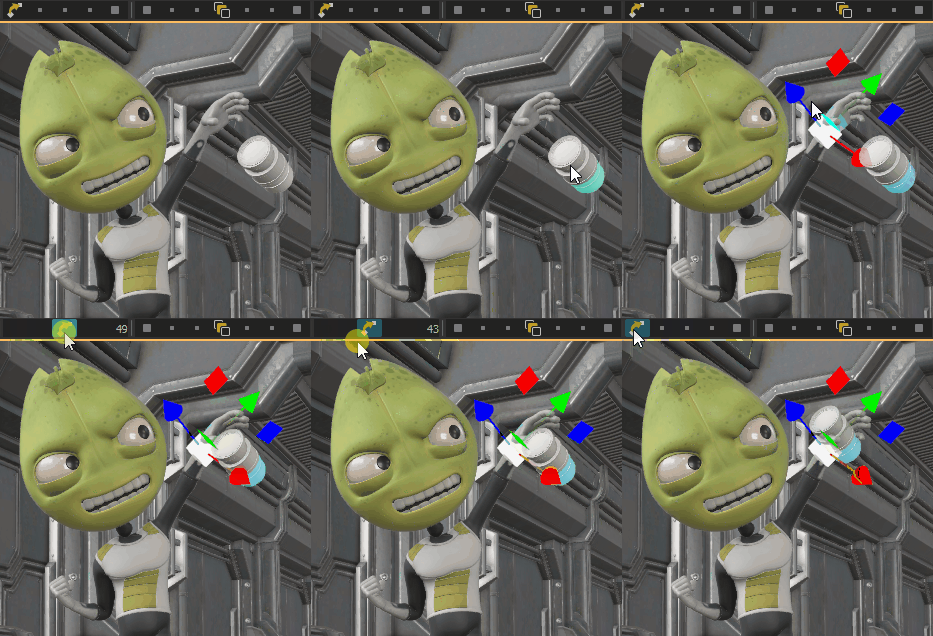
The Snap tool.
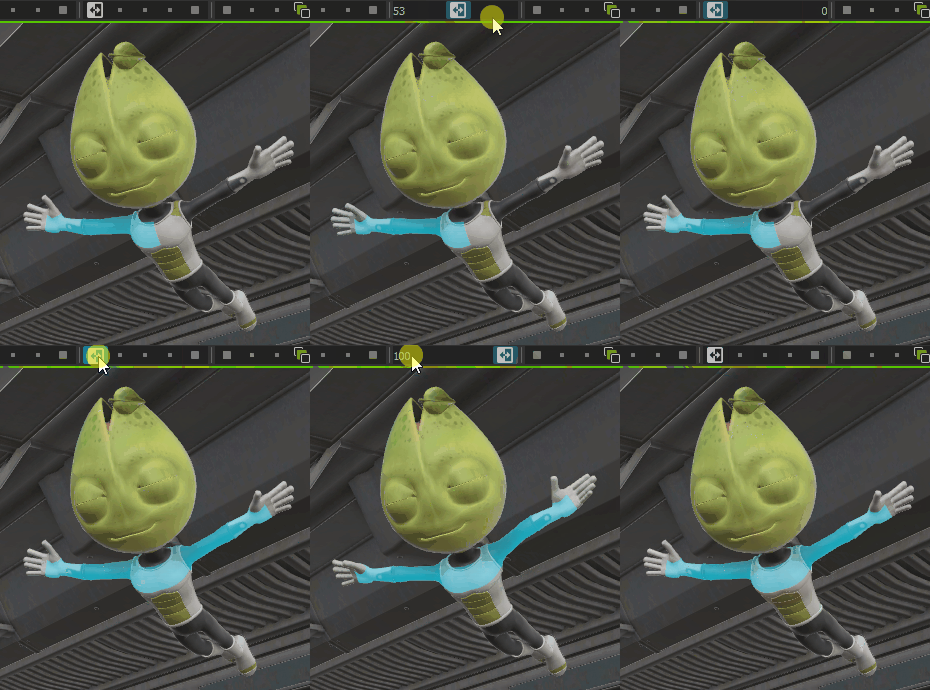
The Mirror tool.
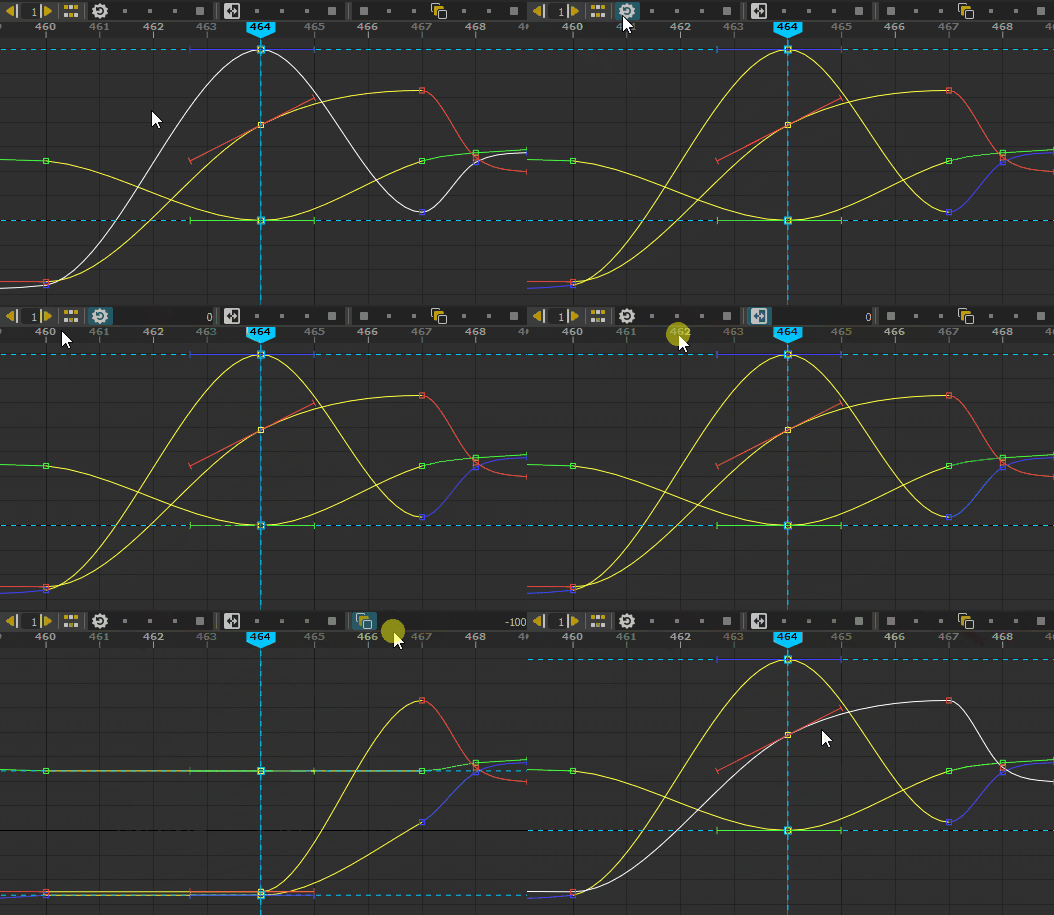
New tools in the curve editor : Nudge Keys, Share Keys, Default Keys, Mirror Keys, Breakdown (tween)
Display Overrides
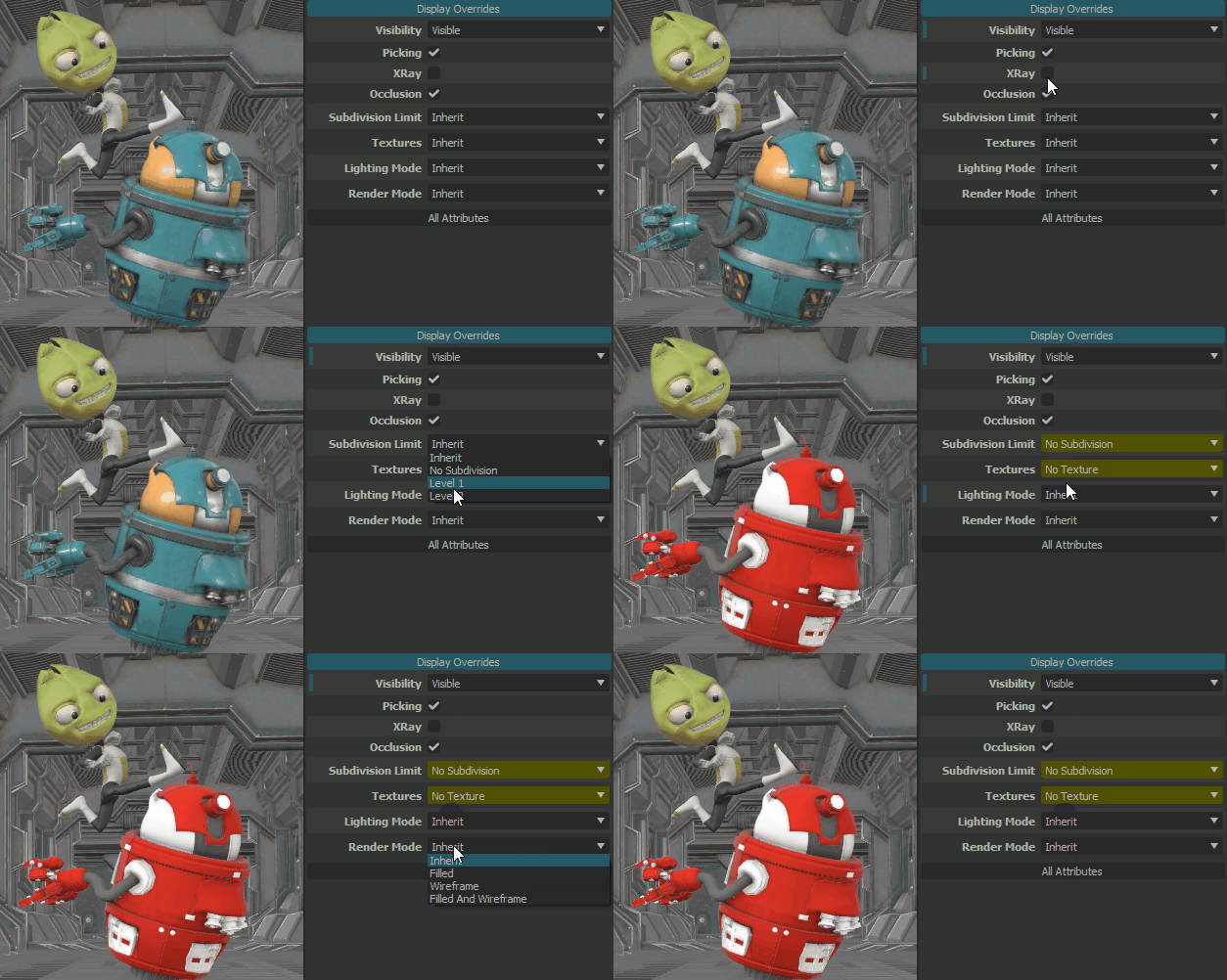
It is now possible to override multiple display attributes, per asset or USD/Alembic file.
The display overrides are inherited by child objects. The display overrides are :
Visibility : Visible, hidden, show at play, hide at play
Picking : The object can be selected
XRay : make the objects transparent
Occlusion : enable or disable the projection of ambient occlusion
Subdivision Limits : overrides the subdivision limit
Textures : enable or disable the use of textures
Lighting mode (PBR, Simple, Flat, Silhouette)
Rendering mode (Filled, Wireframe, Filled+Wireframe)
USD variants
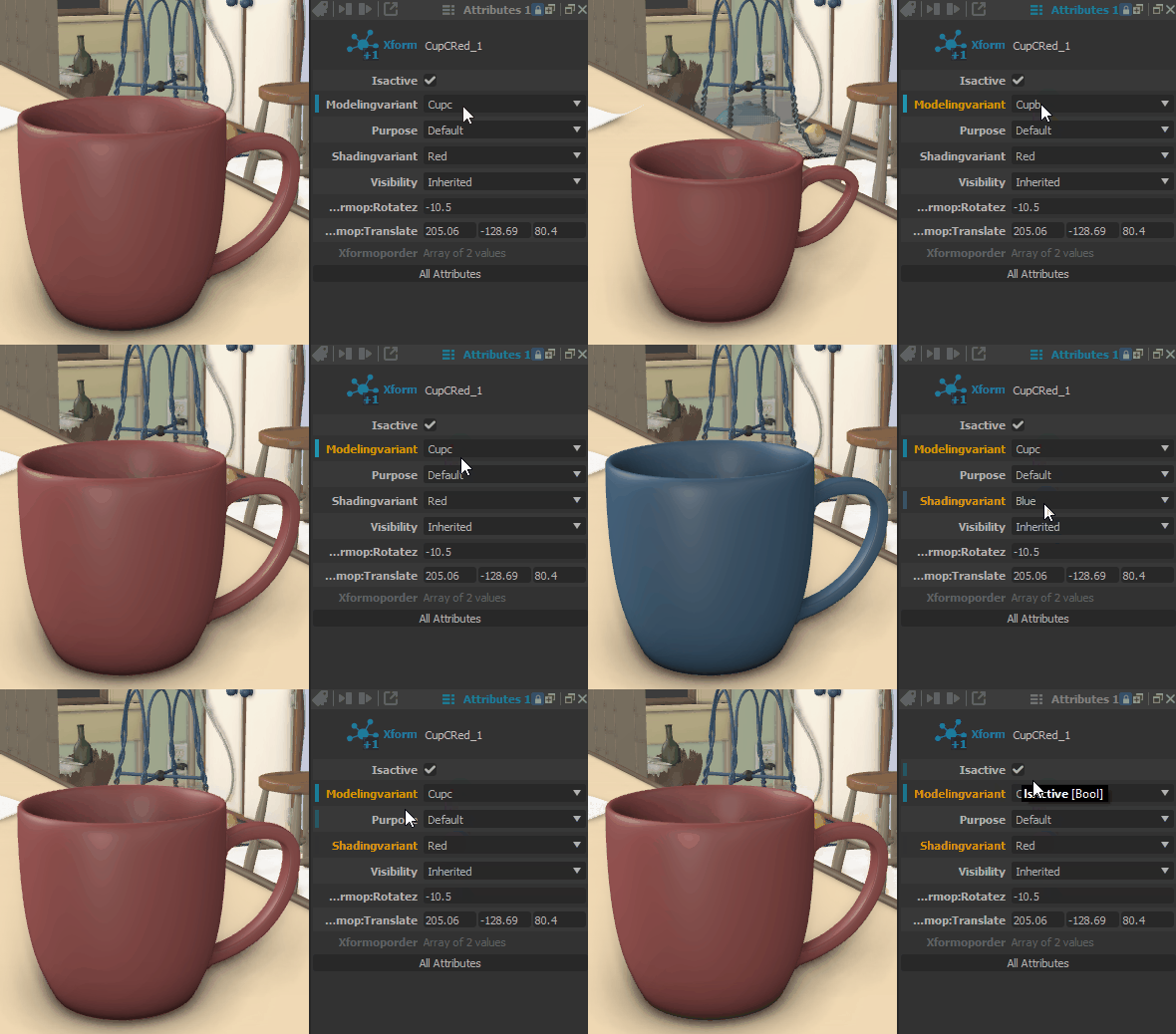
Edit USD variants and the IsActive metadata.
Parametric Shapes
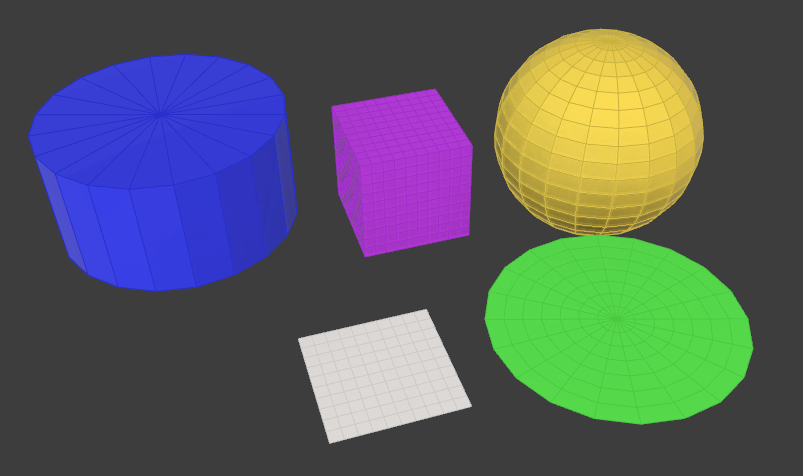
New shapes (disc, plane, cube, sphere, cylinder) are available. They come with parameters to change their size and the tesselation. It is now possible to change the shader color and opacity.
Other Features
It is now possible to choose the offset and the time step used to bake a layer into another one in “Full Keys” mode. One can use that feature to bake a layer on 2’s.
The Image Plane has a new Opacity attribute
Quality
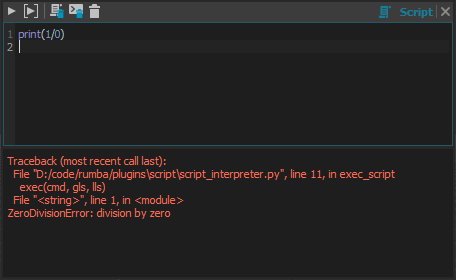
Error logs in the Python console are back.
The Image Plane texture is now always displayed.
New In Version 1.1.0
Release date: 2021-10-13
This new public release introduces an in-depth USD integration, an intuitive Picker Tool, a modern Media integration (Video/Audio/Images sequence), and many more !
Rumba is now built with Python 3.7 and PySide2
USD Integration

Import USD and Alembic files.
Modify and animate any USD/Alembic attribute within Rumba.
The USD/Alembic content is displayed using the high performance Hydra OpenGL renderer.
Picker Tool
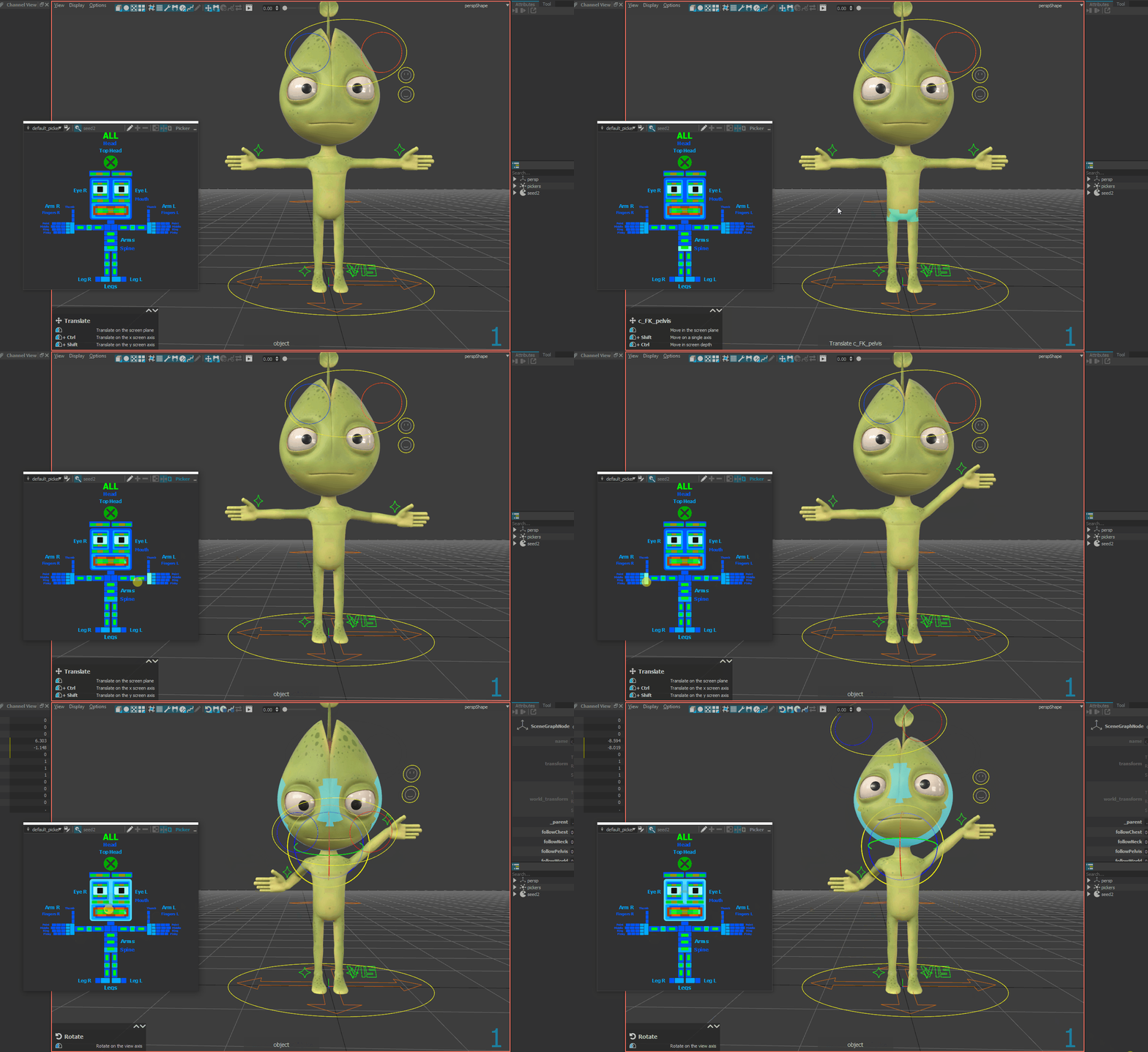
Select, manipulate your Asset controllers within the Picker.
Create/modify/save any picker to create your own.
The smart Picker option automatically links the Picker to the selected Asset.
Rumba comes with a pre-crafted default Picker.
Media

Import any type of media (Video/Audio/Images sequence).
Easily edit your media clips within the Rumba timeline.
Display media on an Image Plane within your scene.
Preview media in a Media Viewer dedicated tool.
New In Version 1.1-rc.2
Release date: 2021-09-30
New Features
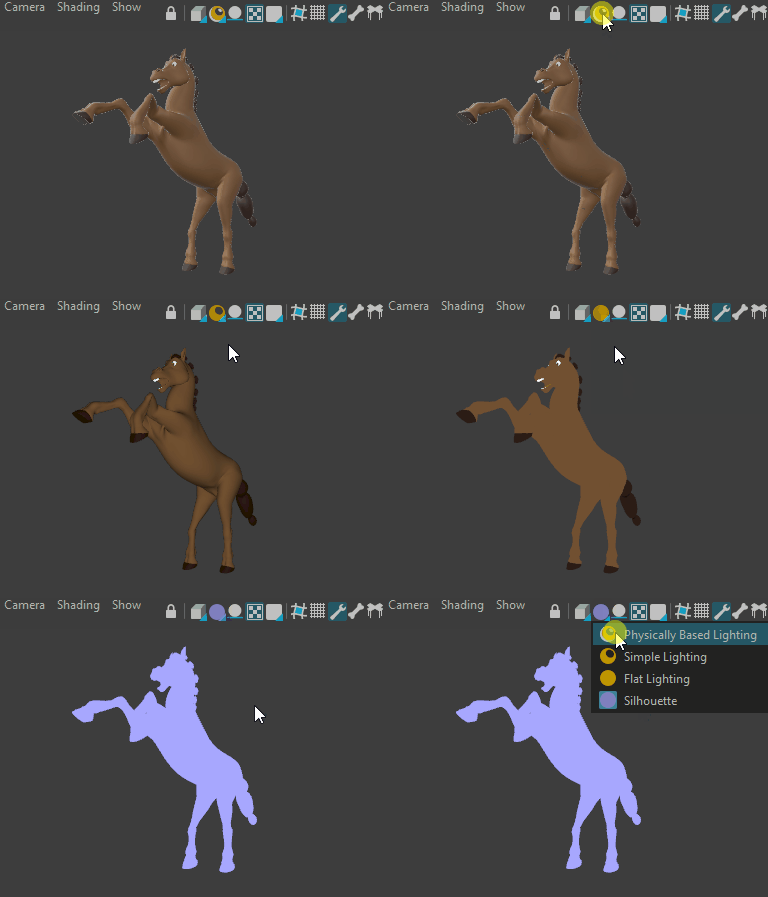
Silhouette and flat shading modes
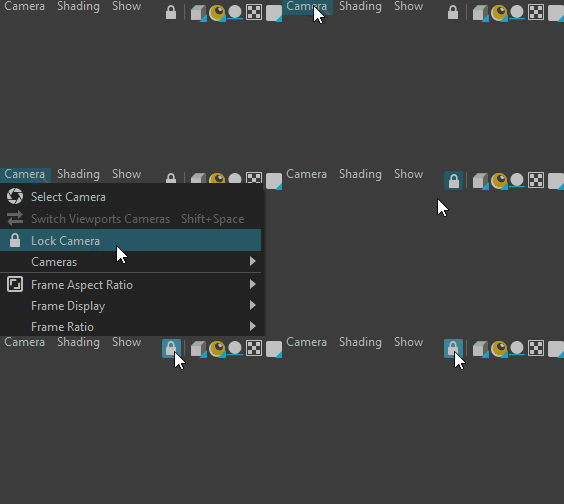
Lock a camera
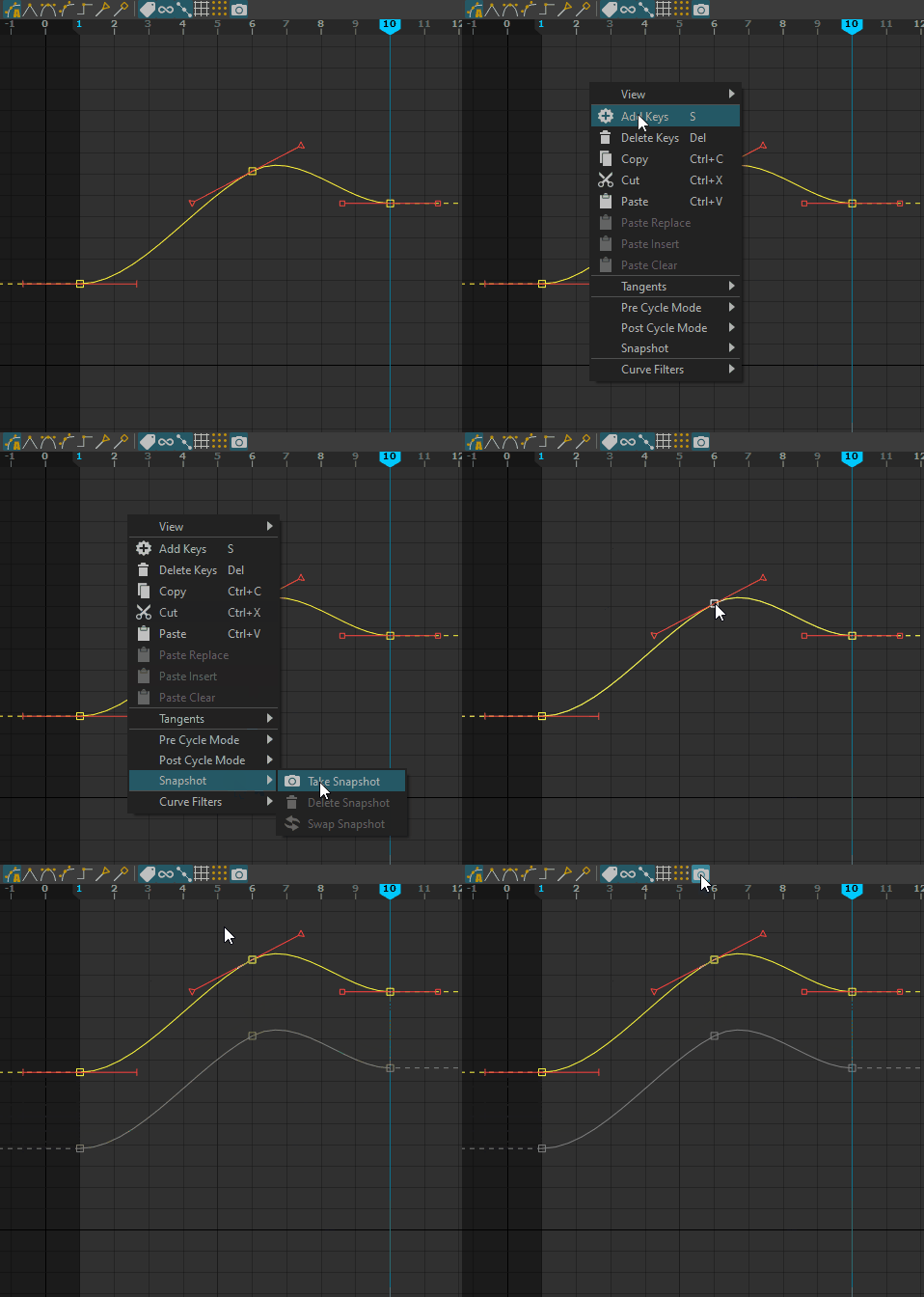
Curves snapshots
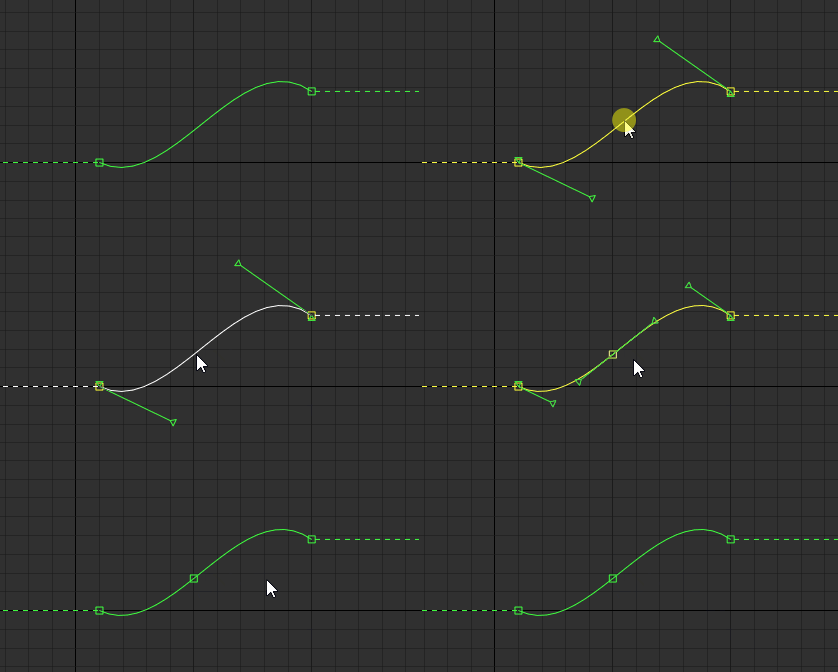
Inserting a key preserves the curve shape
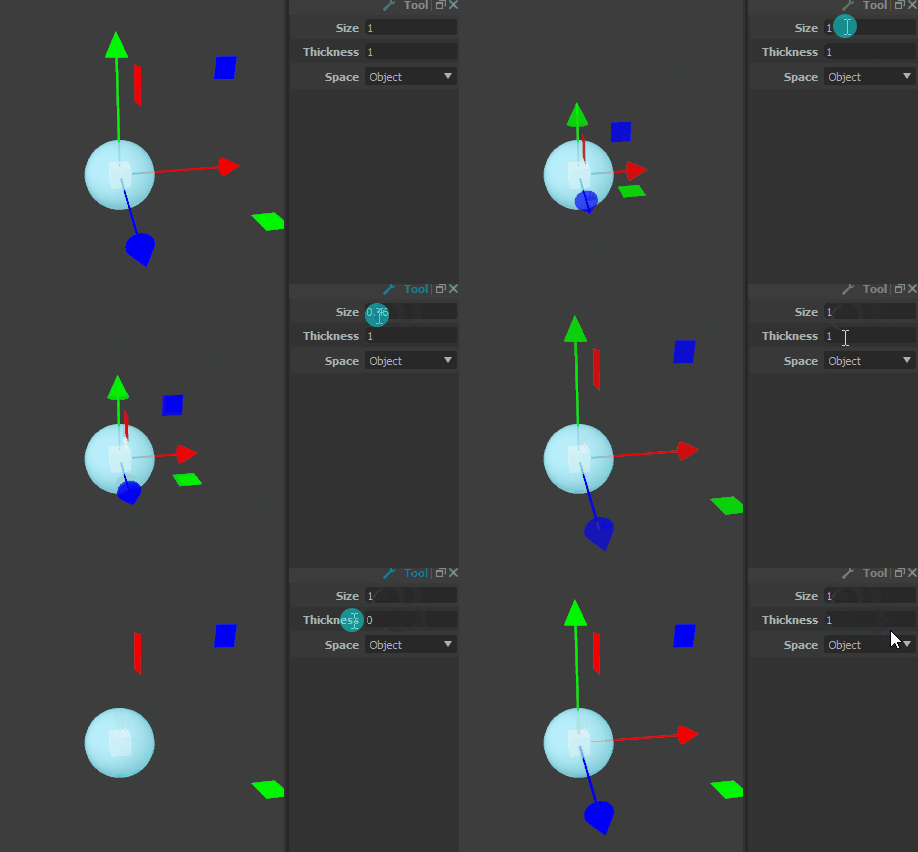
Tools Scale and Thickness attributes. The default shortcuts are now +/-.
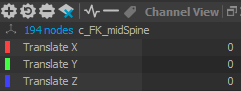
Selected nodes count in the Channel View
Option to show/hide Image Planes
Allow to assign shortcuts on numerical keys
Double clicking a pose in the library does not create a layer anymore by default. This behavior can be changed in the settings.
Bug Fixes
Fix a crash in the picker with badly configured manipulators
Fix the display of ghosted keys
The viewport menus are correctly displayed and not cropped anymore
New In Version 1.1-rc.1
Release date: 2021-09-16
Shortcuts
Alt+Left+Middle to zoom in the Curve Editor and the Viewport
Esc to stop the playback
Alt+A to toggle controllers visibility
Option for Maya-like middle click behavior in the curve editor and the timeline, see below for details
Curve Editor

Non-weighted tangents support (called Simple Tangents in Rumba)
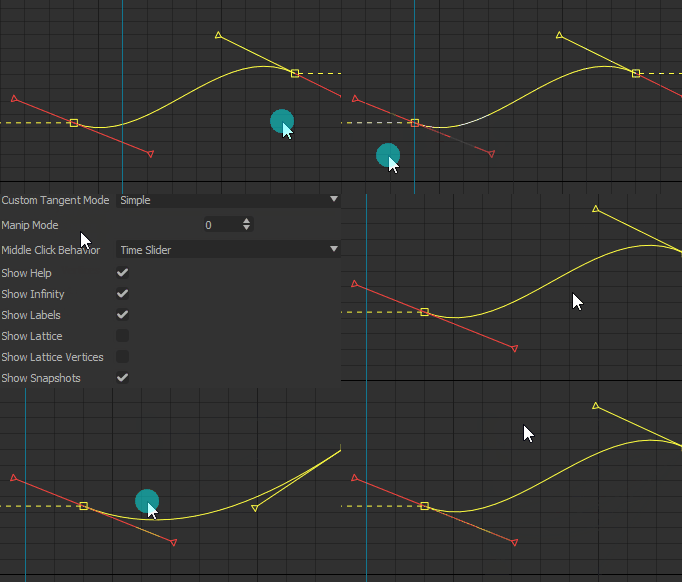
The middle click Time Slider behavior can be changed for a Maya-like manipulation behavior using the setting Curve Editor -> Middle Click Behavior -> Manipulation (Maya Style)
Dragging a key now selects it
Shift+Middle click on a key selects it
Press Shift before clicking the key to select and move it
Timeline
A setting (Timeline -> Key Display -> Dimming) to control the opacity of the keys of the non selected controllers.
The middle click Time Slider behavior can be changed for a Maya-like manipulation behavior using the setting Timeline -> Key Manipulation -> Middle Click Behavior -> Manipulation (Maya Style)
Bug Fixes
Rigs using Mel expressions including “python” calls randomly crashed or froze Rumba
Font glitch on Linux with a second viewport
Fix a crash after saving the layout with a second viewport
Fix a crash after a CTRL+C on some controllers
Writing a letter in the channel box crashed Rumba
Crash reports are now saved locally in $(HOME)/.rumba if not sent online
New In Version 1.1-beta.5
Release date: 2021-06-30
New features
Set $RUMBA_USER_RESOURCES to specify extra resources folder to check for user icons
API to activate a camera
Bug Fixes
USD integration fixes
Playblast with USD
Saved layout restores duplicated tools
Picker Tool performances and minor fixes
Attributes Tool performances and fixes
Import video opens a dialog to trim/resize the video
Use constraint on manipulator
MTORBA improvement
Better euler decomposition in parent constraint and orient constraint
Crash exporting some rigs
New In Version 1.1-beta.4
Release date: 2021-05-17
Bug Fixes
NodeList issue
New In Version 1.1-beta.3
Release date: 2021-05-05
Bug Fixes
Expired certificates
New In Version 1.1-beta.2
Release date: 2021-05-04
New features
Motion Trails are now materialized by a specific node
Bug Fixes
Timeline performances
Layers id consolidation
Tab bar style
New In Version 1.1-beta.1
Release date: 2021-04-30
New features
Z reorder the Picker Areas with shortcuts
Motion Trails plugin
Generic Picker
Bug Fixes
Global performances
Crash on new USD
Init Picker Area position on creation
Attributes Editor performances
Pop when using Rotation
Missing and unreachable actions
DPI and secondary screen issues
FPS display
Playblast
Tablet on linux
New In Version 1.1-beta.0
Release date: 2021-05-05
This version is now based on Python 3.7 and PySide2, it introduces an in-depth USD integration, an intuitive Picker Tool, a modern Media (Video/Audio/Images sequence) integration, and many more !
Enhanced manipulation
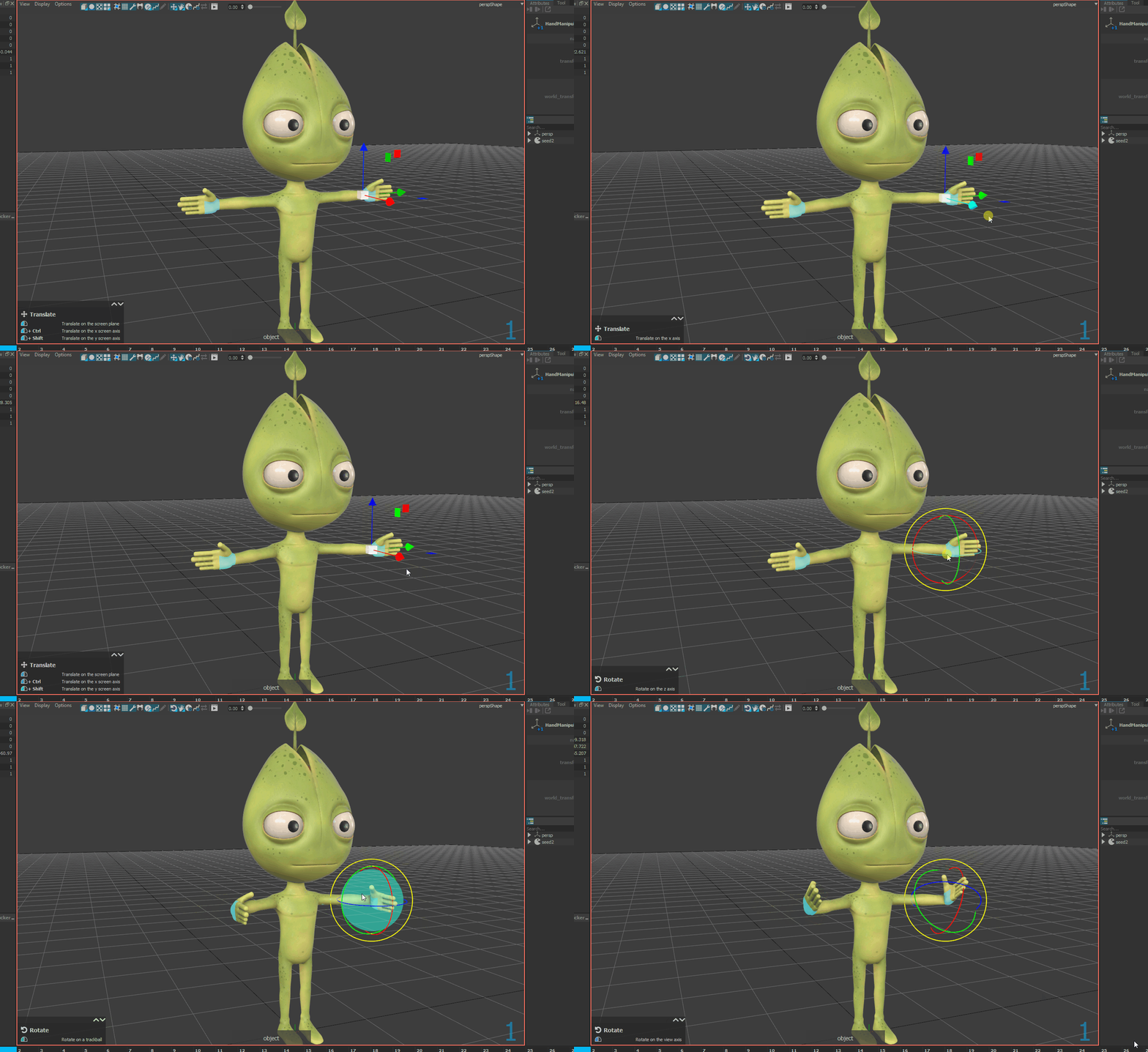
Directly select manipulators or controllers
Transform manipulators using the regular transform tools
More Features
Python 3.7 and PySide2 scripting
View and edit the attributes of the current selection in the Attribute Editor
Duplicate or lock on selection the Attribute Editor and Picker Tool windows
Copy/paste a node
Change layer height in the timeline
Show All option on the Node List to display the Asset nodes hierarchy
Enhanced Motion trails
Overall performances improvement
Known Issues
Large video files can be long to import
Copy/paste is disabled on the media layer
Media clips can’t be moved from one layer to another using the drag n’ drop
New In Version 1.0.3
Release date: 2021-03-08
New features
An improved Breakdown tool window with a slider and more presets
Shortcuts to select the scale, rotation and translation channels, the default shortcuts are Shift+R, Shift+E, Shift+W
Shortcut to select the hovered object for tablet users, the default shortcut is G
Option to choose to not create a layer on a double click in the library
Option to choose the default tangent mode for the new keys
Bug Fixes
Bugs using the Breakdown tool on and outside the curve’s boundaries
Better handling of shortcuts with the better auto detection of the hovered window
Correctly unroll both layers curve cycles when merging a layer
Replace Reference was broken
New In Version 1.0.2
Release date: 2021-02-02
This version introduces a major curve editor improvement, orthographic cameras, and many others things.
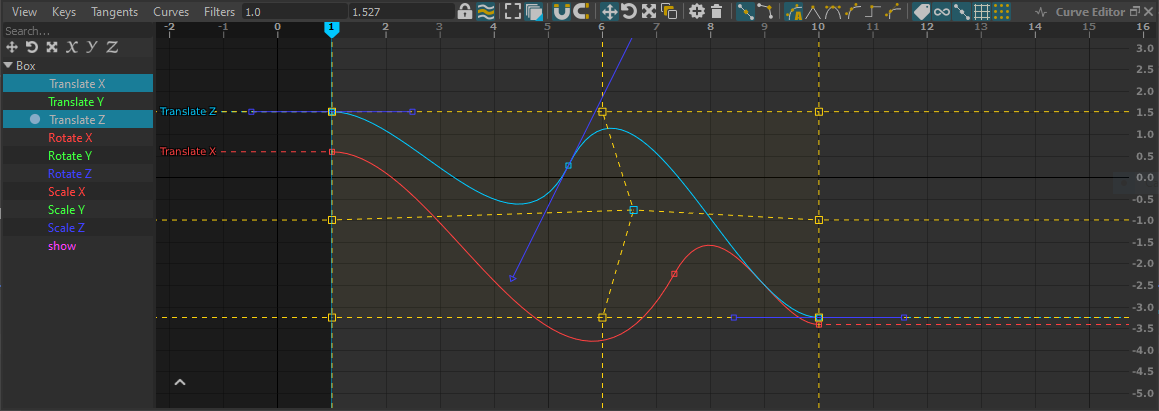
The curve editor has been greatly improved.
Curve Editor improvement
A list of the curves is now available on the left for a quick selection.
Normal, stacked and normalized view of the curves.
A lattice tool is available to resize and freely deform the curve keys.
Full copy/paste support from the curve editor.
The controller selection can now be locked in the curve editor.
The selected curves can be “isolated” with a simple click.
The curve labels are now always visible.
Better tangents edition when the curve repeats.
Key insertion is now possible using CTRL+Middle click, or by dragging an existing key with CTRL.
The curve editor settings are now saved in the global settings.
Fix some issues with the delete shortcut and the selection.
New filters buttons to quickly hide/show tangents, infinity, lattice, lattice vertices.
New features
Reset overridden/animated channel values to their default values using the “Reset to Default” action, default shortcut is D and works on hover in the viewport.
Save and import nodes.
New actions to reach previous/next key within a layer no matter the current selection, by default on Shift+U and Shift+I.
Select library animation/pose controllers using the new context menu action.
Orthographic cameras.
Bug Fixes
Fix issues when adding a key in a layer using timeline hover.
The zoom in picture pan is no more limited to the camera frame.
Toolbar buttons tooltips are back.
Ascii keys are triggering selected channel edit only when the mouse is hover the Channel Box.
MTORBA improvement
Add bezierCurve support.
Add deltaMush.distanceWeight, deltaMush.inwardConstraint and deltaMush.outwardConstraint support.
Fix the revolve and nurbsTessellate face orientation.
Add a first polyExtrudeFace support.
New In Version 1.0.1
Release date: 2020-12-04
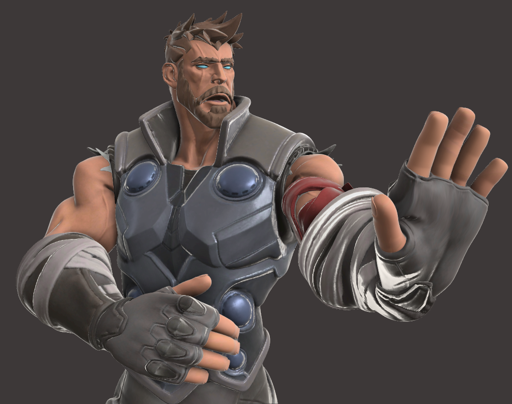
The Agora Studio’s Thor rig exported from Maya
Floating licenses support. We can now provide a license server for the studio tests.
Normalmaps support
New shortcuts to select the X, Y and Z transform axes, by default on F6, F7 and F8
On integrated graphic card laptops, Rumba now starts by default on the dedicated GPU.
Bug Fixes
Slow selection on some rigs
The ArmManipulator now copes with negative determinant transforms
The HandManipulator now works if some phalanges are missing
A crash using the onion skin
A crash when computing derivatives of an empty spline
SDK
The Rumba Windows distribution now includes all the default Python 2.7 modules
MTORBA improvement
Add support for choice, eulerToQuat, floatCondition, floatLogic, inverseMatrix, nonLinear twist nodes
Add support for rad_to_deg and deg_to_rad expression functions
Compound and Array dynamic attributes are now exported
An error when nodes names are not unique
An error when the username includes non-ascii characters
The shelf Rename tool is back
The IK target now includes the target rotation pivot
Try to export related nodes that are not under the exported root group. For a simpler exporting workflow, please make sure to add everything under a single group.
The View/Export shelf commands now export the selected node
Exports the Ai Standard Surface basicColor, specularRoughness, Metalness and normalCamera (normalmaps only)
New In Version 1.0.0
Release date: 2020-11-01
The Seed2 rig has been updated with better facial controllers
Seed2 poses have been added to the library
Bug Fixes
Wrong auto tangent behavior on the curve boundaries
Better floating point number widget and sliders in the properties
Fix various Show/Hide/Delete shortcuts issues
Fix various library glitches
MTORBA improvement
Better Mesh linking action in the MTORBA shelf
Improve speed of wrap nodes using exclusiveBind
Crash on some shape without UVs
New In Version 1.0-rc.4
Release date: 2020-10-07
Support Advanced Skeleton rigs
Bug Fixes
New curves normalization
Freeze if web connections fails
Error at new scene
Handle unicode in the Script Editor
More robust workflow for Constraint Layers
Enabling/Disabling the animation cache was leading to issues
Show the percent of the added pose within the library
Better shortcut handling
Update single channel with the middle mouse button
Fastest “Curve” menu in the Curve Editor
Negative determinant in a matrix was leading to tranformation issues
MTORBA improvement
Elbow position mode in the ArmManipulator
Better IkSplineSolver
Better ramp support
Handle blendWeighted with sparse weights
Cluster handle with inherits xform off
Better scale constraint
New In Version 1.0-rc.3
Release date: 2020-07-01
Changes
No more limitation in the Non-Commercial license !
Bug Fixes
Better support for AMD GPU (Radeon Pro WX 8200 on Windows 10)
MTORBA improvement
Video and documentation about how to prepare a Rig in Maya for Rumba
Better tools to create and setup manipulators in Maya
Includes the weightDriver plug-in by BraveRabbit, http://www.braverabbit.com/shapes/
Includes the main MGear plug-ins, https://www.mgear-framework.com/
Support for the ikSpringSolver
Better support for motionPath and splineIk
New In Version 1.0-rc.2
Release date: 2020-05-25

You already know an FK arm can be moved in IK in Rumba.
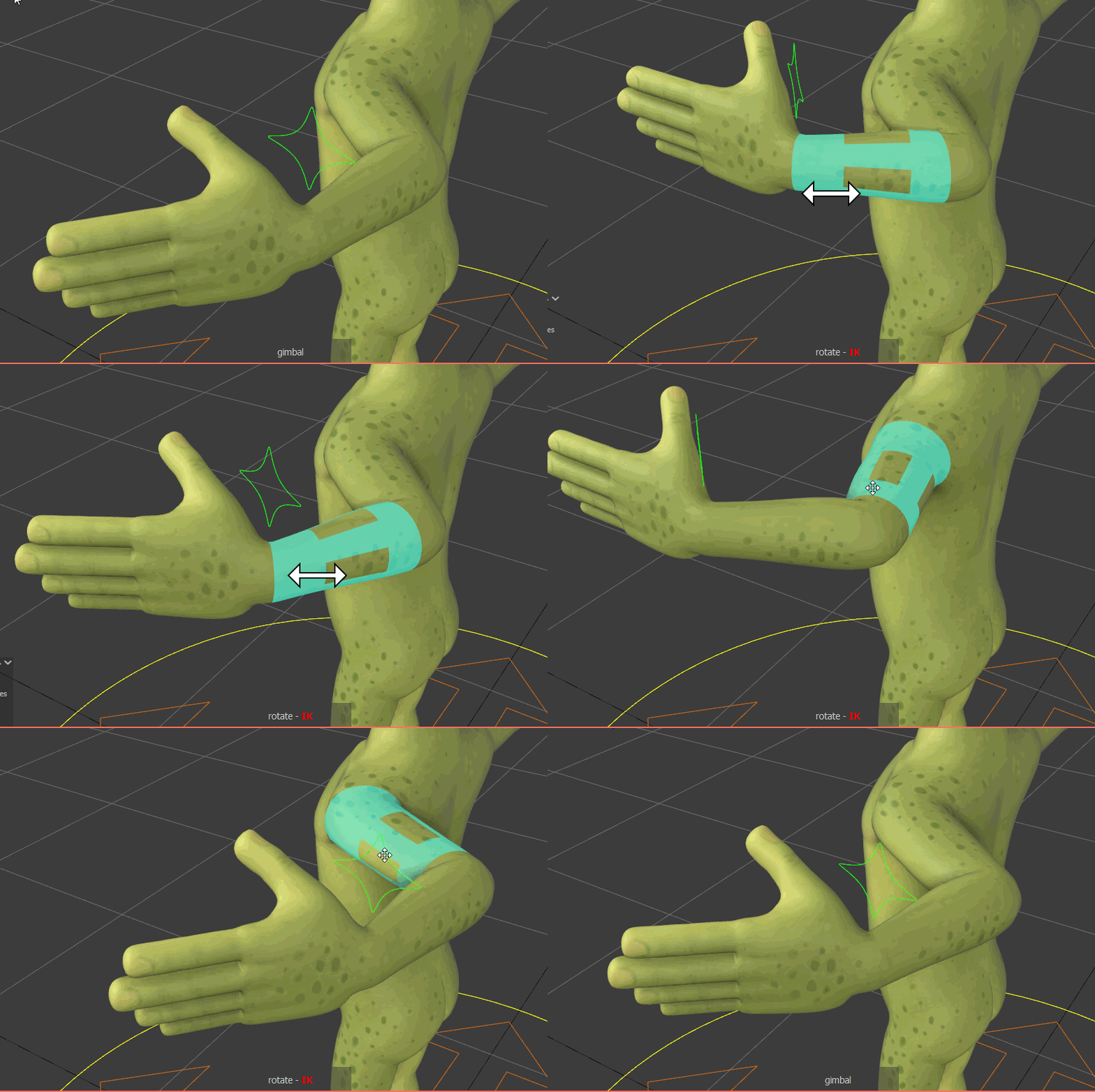
In the rc2, you can now move an IK arm in FK.
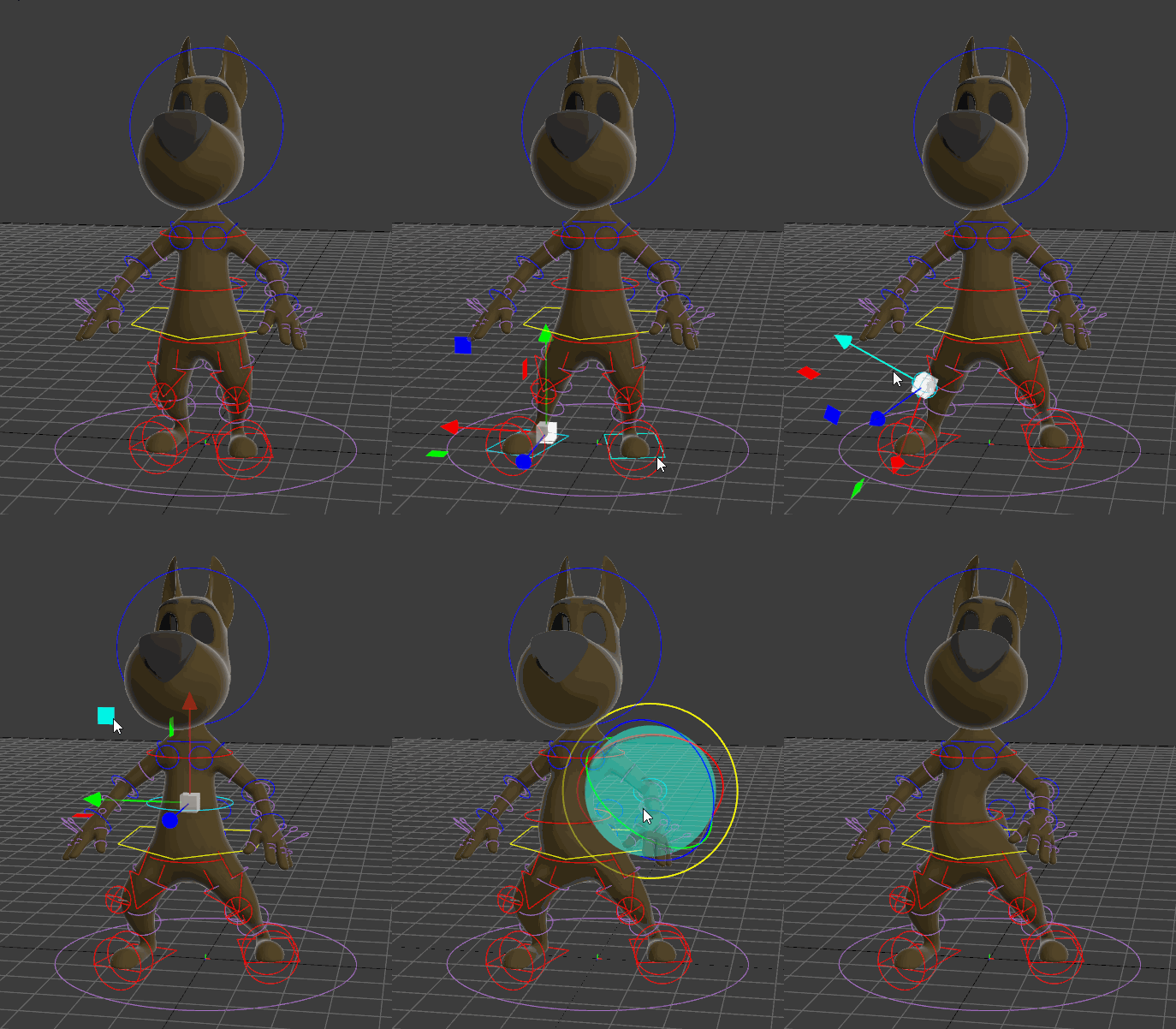
TSM rigs support. Rumba provides also a better TSM (The Setup Machine) rigs compatibility. Here is a direct export of the TSM3 sample.
Bug Fixes
New controllers where not hidden during playback nor by the controller filter switch
Better support for AMD GPU (Radeon 550 on Windows 10)
Better support for Intel GPU (Iris 550 on Windows 10, Intel HD Graphics 630 on Windows 10)
Better support for Wacom tablets, virtual sliders where broken
Wacom tablets can use the zoom in picture feature with CTRL+MMB
Random crash after loading and in Replace Reference
MTORBA Improvement
The tool which transfers the manipulator painting from a shape to another one has been re-written
Add makeThreePointCircularArc, nearestPointOnCurve support
pointOnCurveInfo, deleteComponent improvement
The ikHandle transform was not exported
New In Version 1.0-rc.1
Release date: 2020-05-08
You can now open and close documents
The mouse wheel now zooms the viewport

Unload/Reload references
Replace a rig for another one
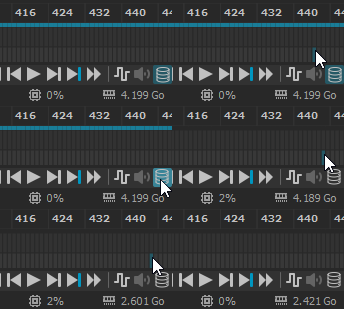
Even if Rumba is very tight in memory, you may need to free the cache memory to do a nice playblast or handle a very large scene.

Rumba can now export sub samples in alembic files, here we have 1, 2, 3 and 5 samples rendered in Guerilla.
A Tool to remap the missing filenames at loading
Preview of the playblast aspect ratio in the viewport
Supports selection set coming from the Maya
New API
Better NurbsCurve and NurbsSurface API
New MeshEdit API interface
A new API to export Alembic files, with support for the sub-samples
Python API documentation
More Python API binding
Bug Fixes
Animated alembic camera attributes are correctly read
A default layer is automatically created in an empty scene
A corrupted data model was leading to a wrong saved file, making it unable to be reopened
Crash report on Linux
Releasing a constraint with a transformed pivot was leading to a wrong position
Using the breakdown tool with layers may create wrong values
Crash during the manipulation
Crash moving the mouse over the viewport
A crash using malformed maracas expressions
Faster delete keys
Reduce the Alembic and cache memory usage
Smoother play and scrubbing
Lot more fixes..
MTORBA Improvement
avgCurve better support
blendShape dedicated plug-in
closestPointOnSurface support
deleteComponent support
detachCurve support
expression support for clamp and rand(), rand returns 0
loft better support
motionPath support
polyEdgeToCurve support
polyMergeVert support
polyMoveVertex support
polyNormal support
polyTweak support
ramp support
rebuildCurve support
rebuildSurface support
A Maya shelf tool to rename a manipulator
Better wrap with scaled geometries and nurbs surface drivers support
Smaller rumbanode files
nurbsSurface ControlPoints connections support