Commands
In Maquina, a command modifies the document by setting a value in a plug, creating/deleting nodes, connecting plugs, creating/deleting dynamic plugs etc..
Command Nodes
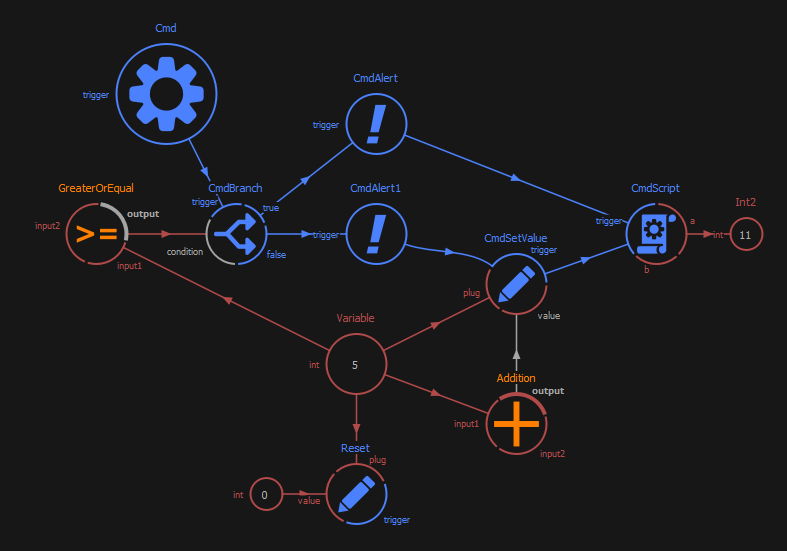
Commands can be created using the nodal editor using command nodes.
When triggered, a command node performs a command and then triggers another, optional, command node. The command nodes can be connected to each others with signal connections. Those connections do not transport a value but describe which command node must be triggered next.
Note
For simplicity, signal connections direction are visually inverted in the Nodal Editor. In reality, the next command node’s trigger plug is connected into the previous command node’s signal plug.
Basic command nodes
Cmd
That node does nothing but trigger the next command node.
CmdScript
When triggered, executes the node’s Python script.
CmdAlert
When triggered, popups an alert window, with an icon, a title and a message.
CmdBranch
When triggered, evaluates the condition plug and if true, triggers the command connected in true or if false, the command connected in false.
CmdSetValue
When triggered, evaluates the value plug and set that value into the plug connected in plug.
CmdCreateNode
When triggered, creates a node.
Run a command node
To run a command node, simply press the play button on the command node.